The Backtesting Problem Most Traders Face
Here is a scenario I've watched play out hundreds of times. A trader has a strategy idea — something like "buy when RSI dips below 30 while the 50-day moving average is above the 200-day, sell when RSI crosses 70." It's a clear, testable hypothesis. But testing it? That requires opening a Python notebook, writing pandas code to calculate indicators, handling data feeds, managing trade state, computing performance metrics, and debugging the inevitable off-by-one errors in your signal logic. Or learning Pine Script on TradingView. Or figuring out QuantConnect's API.
The result is predictable: the strategy never gets tested. It stays as a note in a trading journal, or worse, the trader starts executing it live without any historical validation. They're essentially paper-trading with real money based on a hunch that "feels right."
This is the backtesting gap. Millions of traders have strategy ideas they can articulate clearly in plain English but cannot test because every backtesting tool on the market has historically required programming knowledge. You needed to speak Python, Pine Script, EasyLanguage, or C# before you could ask the simplest question: "Would this strategy have made money?"
No-code backtesting tools are finally closing that gap. Some use visual drag-and-drop builders. Some use dropdown menus. And one approach that I think changes the game entirely: plain English natural language input, where you literally type your strategy the way you'd explain it to another trader and the AI handles the rest.
I spent the last several months testing every backtesting platform I could find that claims to work without coding. Here's what I found — including the platforms that say "no code" but still basically require it.
What to Look for in a No-Code Backtester
Before diving into individual platforms, here are the criteria I used to evaluate each one. Not all no-code backtesting tools are created equal, and the differences matter more than you'd think.
- Input method. This is the most important differentiator. How do you actually define your strategy? A visual builder with drag-and-drop blocks? Dropdown menus where you select indicators and conditions? Or natural language where you type what you want? Each has trade-offs. Visual builders can handle complex logic but have learning curves. Dropdowns are simple but limiting. Natural language is the fastest but depends on the AI's ability to interpret your intent correctly.
- Data quality and coverage. A backtester is only as good as its historical data. How far back does it go? Does it include stocks, crypto, forex? Is the data adjusted for splits and dividends? Bad data produces misleading results.
- Speed. Can you iterate quickly? If every backtest takes 5 minutes to run, you won't test many variations. The best stock backtesting tools return results in seconds.
- Visualization. Does the platform plot individual buy and sell trades directly on the price chart? This is critical for validating that the strategy is doing what you think it's doing. An equity curve alone doesn't tell you if your entries make visual sense on the chart.
- Performance metrics. Total return, win rate, max drawdown, Sharpe ratio, profit factor — the standard suite. Some platforms give you a number and call it done. The better ones break down performance by trade, by month, and show you the equity curve over time.
- Backtest-to-alert pipeline. Can you convert a backtest into a live strategy that sends you alerts when the conditions trigger in real time? This is where most platforms fall apart. Testing a strategy is only half the value — you need to be able to actually trade it afterward without manually watching charts all day.
- Price. Backtesting tools range from free to $200+/month. For most swing traders, there's no reason to pay more than $10-40/month for a capable automated strategy tester.
Quick Comparison Table
Here's how all seven platforms stack up across the criteria that matter most. Look at the full picture before making your decision.
| Platform | Price | No-Code? | Input Method | Trades on Chart | Convert to Alert | AI-Powered |
|---|---|---|---|---|---|---|
| ChartingLens | $9.99/mo | Yes | Plain English | Yes | Yes | Yes |
| TrendSpider | $39/mo | Yes | Visual builder | Yes | Limited | No |
| Composer | Free tier | Yes | Drag-and-drop | No | Auto-execute | No |
| Stock Hero | $14.99/mo | Mostly | Rule builder | No | Paper trade | No |
| TradingView | $14.95/mo+ | No — Pine Script | Code required | Yes | Yes | No |
| QuantConnect | Free tier | No — Python/C# | Code required | Yes | Via API | No |
| TradeStation | $0 w/ account | No — EasyLanguage | Code required | Yes | Yes | No |
The pattern is clear: most "backtesting platforms" still require coding. TradingView, QuantConnect, and TradeStation are powerful but they're programming environments. The genuinely no-code options are the first four platforms in the table — and each takes a very different approach.
The 7 Platforms I Tested
1. ChartingLens — Best No-Code Backtester Overall
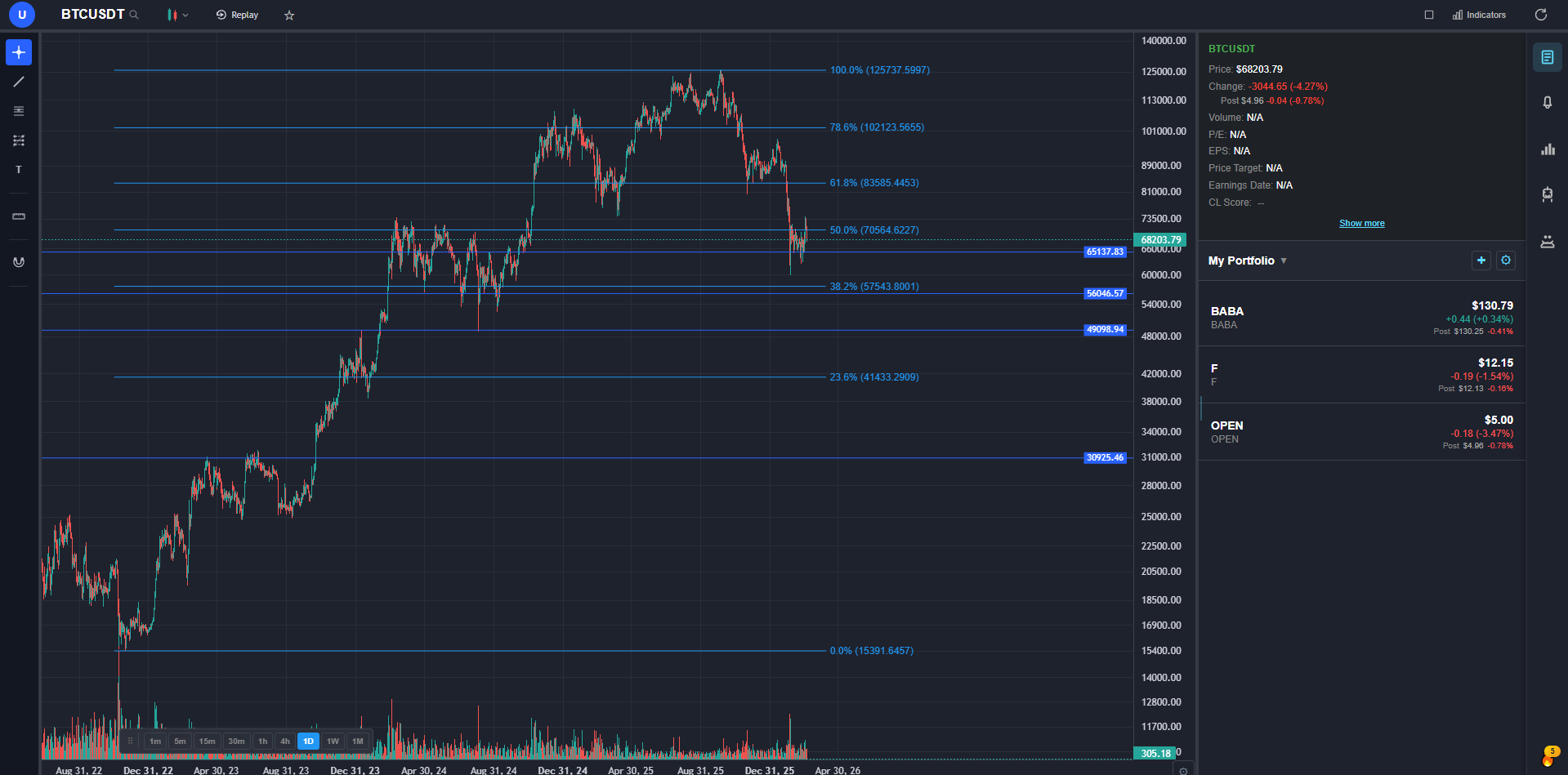
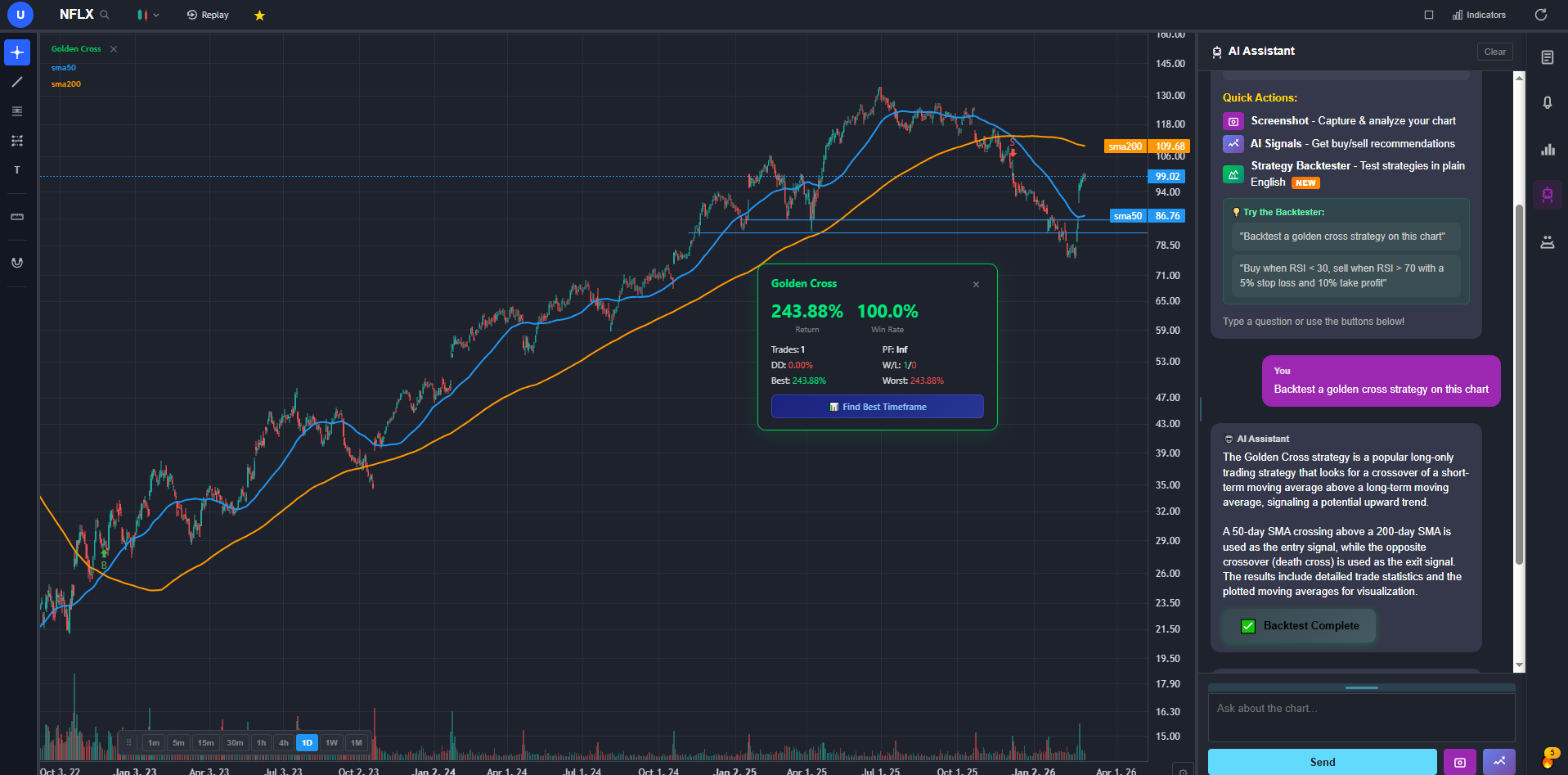
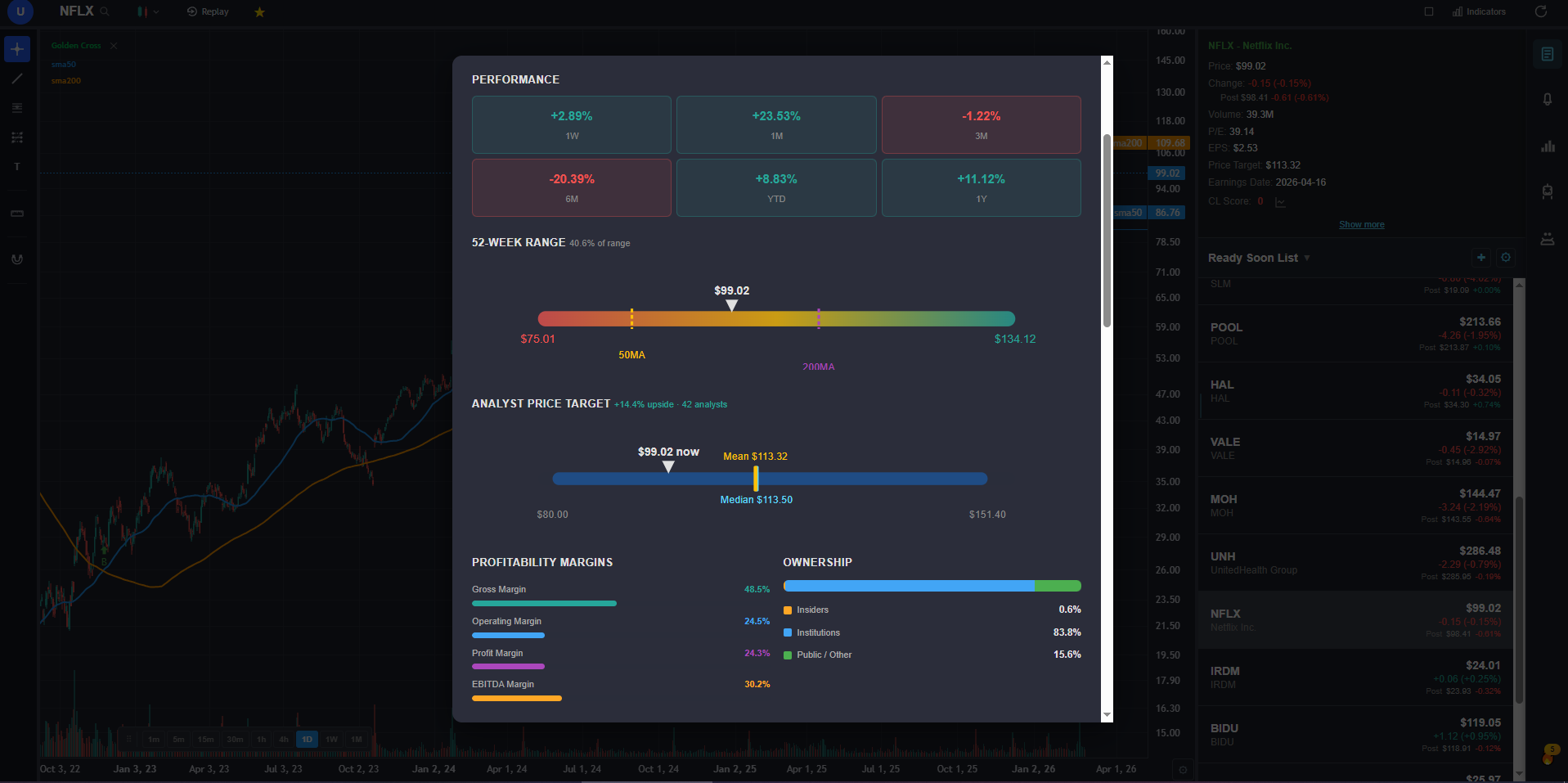
ChartingLens is the platform I built, so take this with the appropriate grain of salt — but it genuinely solves the problem I set out to fix. The backtester works like this: you type a strategy in plain English. Something like "Buy when RSI crosses above 30 and MACD is bullish, sell when RSI hits 70" or "Buy when price crosses above the 200-day SMA and volume is above average, sell when price drops below the 50-day SMA." The AI interprets your description, builds the strategy logic, and runs it against historical data.
What comes back is a full backtest with every buy and sell trade plotted directly on the price chart, an equity curve showing how your portfolio would have grown (or shrunk), and detailed performance metrics: total return, win rate, max drawdown, number of trades, average hold time. You can see at a glance whether the entries and exits make visual sense — something you can't do when a backtester just gives you a summary table.
The feature that surprised me most in user feedback was the AI timeframe optimization. You run a strategy once, and ChartingLens automatically tests it across 15-minute, 1-hour, 4-hour, and daily timeframes, then ranks which timeframe produced the best risk-adjusted returns. I've seen strategies that look mediocre on the daily chart but perform significantly better on the 4-hour — something you'd never discover without testing.
The other piece that closes the loop: you can activate any backtest as a live strategy alert. Same conditions, same logic, running in real time. When the entry or exit conditions trigger, you get an email notification. You go from "I wonder if this would work" to "I'm monitoring this live" in about 60 seconds, with zero coding at any step.
At $9.99/mo for the premium plan (which includes unlimited backtesting and live alerts), it's a fraction of TrendSpider's $39/month — and it's the only platform where the input method is genuinely just typing what you want in your own words.
2. TrendSpider — Best Visual Strategy Builder
TrendSpider's Strategy Tester uses a visual builder where you click to add conditions — select an indicator, pick a comparison operator, set your threshold. It's genuinely no-code in the sense that you never write a line of script. You build strategies by stacking condition blocks: "RSI(14) crosses above 30" AND "Price is above SMA(200)" and so on. It handles the logic, runs the backtest, and shows results.
The approach works, but the UI has a real learning curve. There are a lot of dropdowns, nested condition panels, and configuration options. I found myself spending 10-15 minutes building a strategy that I could describe in one sentence. For traders who think visually and prefer seeing logic blocks laid out spatially, this is a strength. For everyone else, it feels like configuring enterprise software.
At $39/month, TrendSpider is the most expensive option on this list. The strategy tester is part of their broader automated analysis platform (auto trendlines, multi-timeframe overlays), so you're paying for the whole suite, not just backtesting. If you already use TrendSpider for its other features, the backtester is a solid addition. As a standalone no-code backtesting tool, the price-to-value ratio is hard to justify when cheaper alternatives exist.
3. Composer — Best for Portfolio-Level Strategy Automation
Composer takes a different approach to no-code strategy building. Instead of testing individual trade entries and exits on a single stock, Composer focuses on portfolio-level allocation strategies. You build logic like "If SPY drops more than 5% in a month, rotate 60% into TLT and 40% into GLD. Otherwise, hold 100% SPY." It's drag-and-drop, genuinely no-code, and the free tier lets you build and backtest strategies.
The key limitation: Composer is about asset allocation, not individual trade timing. If your strategy is "buy AAPL when RSI crosses above 30 and sell when it hits 70," Composer is not built for that. It's designed for "what percentage of my portfolio should be in which assets under which conditions." These are fundamentally different types of backtesting.
For portfolio-level rotational strategies, Composer is excellent and the free tier is generous. For the kind of indicator-based entry/exit backtesting that most individual stock and swing traders want, you need a different tool.
4. Stock Hero — Best for Paper Trading Bots
Stock Hero lets you create trading bots with a rule-based builder. You set conditions — price crosses a moving average, RSI hits a level — and the bot simulates trades in a paper trading environment. The concept is straightforward and the UI is cleaner than TrendSpider's strategy builder.
The distinction that matters: Stock Hero is primarily a forward simulation tool, not a historical backtester. You create a bot and let it paper trade going forward. There is some historical backtesting capability, but it's not the platform's core strength. You don't get the same depth of historical analysis — trades plotted on years of price history, equity curves over long periods — that a dedicated stock backtesting tool provides.
At $14.99/mo, the price is reasonable. If your workflow is "set up rules and see how they perform over the next few weeks," Stock Hero works well. If you want to know how your strategy would have performed over the last 2-5 years of historical data with every trade visible on the chart, a dedicated backtesting platform is more appropriate.
5. TradingView (Pine Script) — Powerful but Not No-Code
I'm including TradingView because it dominates search results for backtesting, and I want to be straightforward about what it actually requires. TradingView's Strategy Tester is built on Pine Script — TradingView's proprietary programming language. To backtest a strategy, you write Pine Script code that defines entry and exit conditions, position sizing, and other parameters. The backtester then runs your script against historical data and shows trades on the chart.
Pine Script is simpler than Python. It's designed specifically for trading indicators and strategies, so common operations (calculating RSI, checking moving average crossovers) take fewer lines of code. But it is unambiguously a programming language. You write syntax, you debug errors, you deal with variable scoping and conditional logic. If you've never programmed before, Pine Script has a learning curve measured in weeks, not minutes.
The community is TradingView's real advantage. Thousands of published Pine Script strategies exist, and you can apply them to your chart to see backtest results without writing code yourself. But customizing those strategies — changing the conditions, adjusting the logic to match your specific idea — requires understanding Pine Script. For traders who are willing to invest the time to learn, TradingView's trading strategy tester online is one of the most capable options available. For traders searching for a no-code backtesting tool, it is not the answer.
6. QuantConnect — Institutional-Grade but Code-Required
QuantConnect is the most technically powerful backtesting engine on this list, and it's not close. It supports Python and C#, provides tick-level historical data across equities, options, futures, forex, and crypto, handles multi-asset portfolios, and includes realistic commission and slippage modeling. Hedge funds use it. The free tier is legitimately generous — you get access to the full backtesting engine and historical data.
The trade-off is that QuantConnect is a full software development environment. You write algorithms in Python or C# using their LEAN framework. Even a simple moving average crossover strategy requires understanding object-oriented programming, event-driven architecture, and QuantConnect's specific API. The learning curve isn't weeks — it's months for someone starting from zero programming experience.
If you're a developer or quant who already writes Python, QuantConnect is outstanding. If you're a trader who wants to test "buy when RSI crosses 30 and MACD goes bullish" without opening a code editor, QuantConnect is the wrong tool entirely. There is no overlap between QuantConnect's target user and someone searching for a no-code backtesting tool.
7. TradeStation — Brokerage with Semi-Code Strategy Testing
TradeStation's EasyLanguage is the oldest strategy scripting language in retail trading, dating back to the 1990s. It's simpler than Python — the syntax reads more like English — but make no mistake, it's a programming language. You declare variables, write conditional statements, and manage order logic. "Easy" is relative. Compared to Python, sure. Compared to typing a sentence in plain English, not even close.
The advantage of TradeStation is that backtesting and live execution happen on the same platform with the same brokerage account. Strategy testing is free if you have a TradeStation brokerage account, and you can deploy a backtested strategy to live automated trading without rebuilding it on a separate platform. For traders who are already TradeStation customers and willing to learn EasyLanguage, this integration is valuable.
For traders who specifically want to backtest a trading strategy without coding, TradeStation's EasyLanguage requirement disqualifies it from the "no-code" category. The strategy library has some pre-built strategies you can apply without writing code, but customizing any of them requires EasyLanguage knowledge. If you're comparing pure no-code approaches, plain-English natural language input and TrendSpider's visual builder are in a different category.
The Plain English Advantage
I want to spend a moment on why I believe natural language backtesting is a genuine breakthrough for retail traders, not just a gimmick. The best way to illustrate it is with a direct comparison.
Say you want to test this strategy: "Buy when price crosses above the 200-day SMA and volume is above its 20-day average. Sell when price drops below the 50-day SMA."
In Pine Script (TradingView)
//@version=5
strategy("SMA Volume Strategy", overlay=true)

sma200 = ta.sma(close, 200)
sma50 = ta.sma(close, 50)
volAvg = ta.sma(volume, 20)

longCondition = ta.crossover(close, sma200) and volume > volAvg
exitCondition = ta.crossunder(close, sma50)

if (longCondition)
    strategy.entry("Long", strategy.long)
if (exitCondition)
    strategy.close("Long")
In Python (QuantConnect)
class SmaVolumeStrategy(QCAlgorithm):
    def Initialize(self):
        self.SetStartDate(2020, 1, 1)
        self.SetCash(100000)
        self.symbol = self.AddEquity("AAPL").Symbol
        self.sma200 = self.SMA(self.symbol, 200)
        self.sma50 = self.SMA(self.symbol, 50)

    def OnData(self, data):
        if not self.sma200.IsReady: return
        price = data[self.symbol].Close
        vol = data[self.symbol].Volume
        vol_avg = # ... more code needed
        if price > self.sma200.Current.Value and vol > vol_avg:
            if not self.Portfolio[self.symbol].Invested:
                self.SetHoldings(self.symbol, 1)
        elif price < self.sma50.Current.Value:
            self.Liquidate(self.symbol)
In Plain English
Buy when price crosses above the 200-day SMA and volume is above its 20-day average. Sell when price drops below the 50-day SMA.
Same strategy. Three very different experiences. The Pine Script version requires understanding TradingView's scripting syntax, built-in functions, and strategy framework. The Python version requires object-oriented programming, event handling, and QuantConnect's API. The plain English version requires you to know what you want.
This isn't about one approach being "better" in an absolute sense. Pine Script and Python give you more control over edge cases, custom calculations, and exotic instruments. But for the 90% of strategies that combine standard indicators with straightforward entry/exit logic — which describes most swing trading and position trading strategies — natural language input eliminates the entire barrier to entry.
The speed difference is real too. In my testing, I can iterate through 10-15 strategy variations with a plain-English backtester in the time it takes to write, debug, and run one Pine Script strategy on TradingView. When you're exploring ideas — "what if I use the 100-day SMA instead of the 200?" or "what if I add a Bollinger Band condition?" — that iteration speed compounds into dramatically more strategies tested per session.
And AI timeframe optimization multiplies this further. Instead of manually re-running a strategy on four different timeframes, an automatic optimizer tests them all at once and shows you which timeframe produced the best results. I've found this to be one of the best backtesting platform features for swing trading specifically, where timeframe selection can make or break a strategy's performance.
My Final Verdict
After testing all seven platforms, here's where I landed:
The #1 pick above is the only platform where you genuinely type a strategy in plain English and get a full backtest with trades plotted on your chart, plus the ability to convert it to a live alert. It's the most accessible no-code backtesting tool I've tested.
TrendSpider is the best visual builder if you prefer clicking over typing. The learning curve is real, and the price is steep, but the visual approach is well-executed. It's also the only platform that integrates backtesting with automated trendline detection and multi-timeframe analysis on the same chart.
Composer fills a niche that the others don't — portfolio-level allocation strategies with drag-and-drop logic. If your strategies are about asset rotation and portfolio weighting rather than individual stock entries and exits, Composer's free tier is hard to beat.
TradingView and QuantConnect remain the most powerful backtesting platforms available, but they require coding. If you're willing to learn Pine Script or Python, the capability ceiling is higher than any no-code tool. QuantConnect in particular is unmatched for institutional-grade backtesting with custom data and realistic execution modeling.
Stock Hero and TradeStation serve their specific audiences well — forward paper trading and brokerage-integrated strategy testing, respectively — but neither is the best fit for someone searching specifically for a no-code backtesting tool to test strategies against historical data.
The bottom line: the AI backtesting software category has matured enough in 2026 that you genuinely do not need to learn a programming language to test trading strategies. Describe what you want, let the platform handle the implementation, and spend your time on what actually matters — developing better strategy ideas.