The Beginner's Dilemma
You want to learn trading, but every platform seems designed for people who already know what they're doing. TradingView has 100+ indicators — where do you even start? thinkorswim looks like a spaceship cockpit with panels, sub-panels, and menus nested three levels deep. TrendSpider's automation is impressive but the price tag is steep before you've placed a single trade. Even classic web tools like StockCharts can feel dated and intimidating when you don't know what half the buttons do.
This is the beginner's dilemma: the platforms powerful enough to teach you are too complex to learn, and the platforms simple enough to use don't teach you anything. You need something in the middle — a trading platform suitable for beginner investors that's easy to start with, teaches you while you use it, and doesn't cost a fortune while you're still figuring out what a candlestick chart is.
I've spent the last few years building trading software, and I have used most of the major platforms as both a developer and a trader. I ranked these five platforms specifically from a beginner's perspective — not based on which has the most advanced features, but which gets a new trader from zero to productive the fastest, with the least frustration and the lowest cost.
What Beginners Actually Need
Before we get into rankings, let's be honest about what beginners actually need versus what trading platforms try to sell you. Here are the criteria I used, ranked by importance for someone just starting out:
- Ease of use — Can you figure out the basics in 10 minutes? If a platform requires a YouTube tutorial series just to place your first chart, it's not beginner-friendly, no matter how powerful it is.
- Free tier quality — Can you genuinely learn without paying? Some platforms advertise "free" but lock every useful feature behind a paywall. A good free tier lets you get real value before you commit money.
- Learning features — Does the platform help you learn while you use it? An AI assistant that explains what indicators mean, a simulator where you can practice reading charts, educational content built into the experience — these matter more than raw feature count for beginners.
- Upgrade path — Does the platform grow with you? Starting on a basic tool and having to switch platforms entirely when you get serious is disruptive and wastes the familiarity you've built. The best beginner platform is one you can still use a year later.
- Price — What does it cost when you do upgrade? $9.99/mo feels very different from $59.95/month when you're still learning and not yet making money from trading.
- Core tools — Charts, basic indicators (like moving averages, RSI, MACD), a stock screener to find opportunities, and alerts so you're not glued to a screen all day.
Notice what's not on this list: number of indicators, Pine Script compatibility, advanced order types, multi-monitor layouts. Those matter for experienced traders. For beginners, they're noise that makes the learning curve steeper.
Quick Comparison Table
Here's how all five best trading platforms for beginners stack up across the criteria that actually matter when you're starting out. Look at the full picture before deciding.
| Platform | Price | Ease of Use | Free Tier | AI Help | Practice Mode | Grows With You |
|---|---|---|---|---|---|---|
| ChartingLens | $0–9.99/mo | 4/5 | Usable | Yes — explains concepts | Bar replay | Yes — Premium unlocks all |
| TradingView | $0–59.95/mo | 2/5 | Very restricted | No | Paid plans only | Yes — very deep |
| TrendSpider | From ~$33/mo | 2/5 | Trial only | Some automation | Limited replay | Yes — pro tools |
| StockCharts | From ~$14.95/mo | 3/5 | Very restricted | No | No | Limited modern features |
| thinkorswim | Free w/ Schwab | 1/5 | Full platform | No | Paper + replay | Yes — professional |
The pattern is clear: the easiest platforms don't teach you anything, and the most powerful platforms aren't easy to learn. The #1 pick below hits the sweet spot — easy enough to start with, smart enough to learn from, and powerful enough that you don't outgrow it.
The 5 Platforms
1. ChartingLens — Best Overall for Beginners Who Want to Learn and Grow
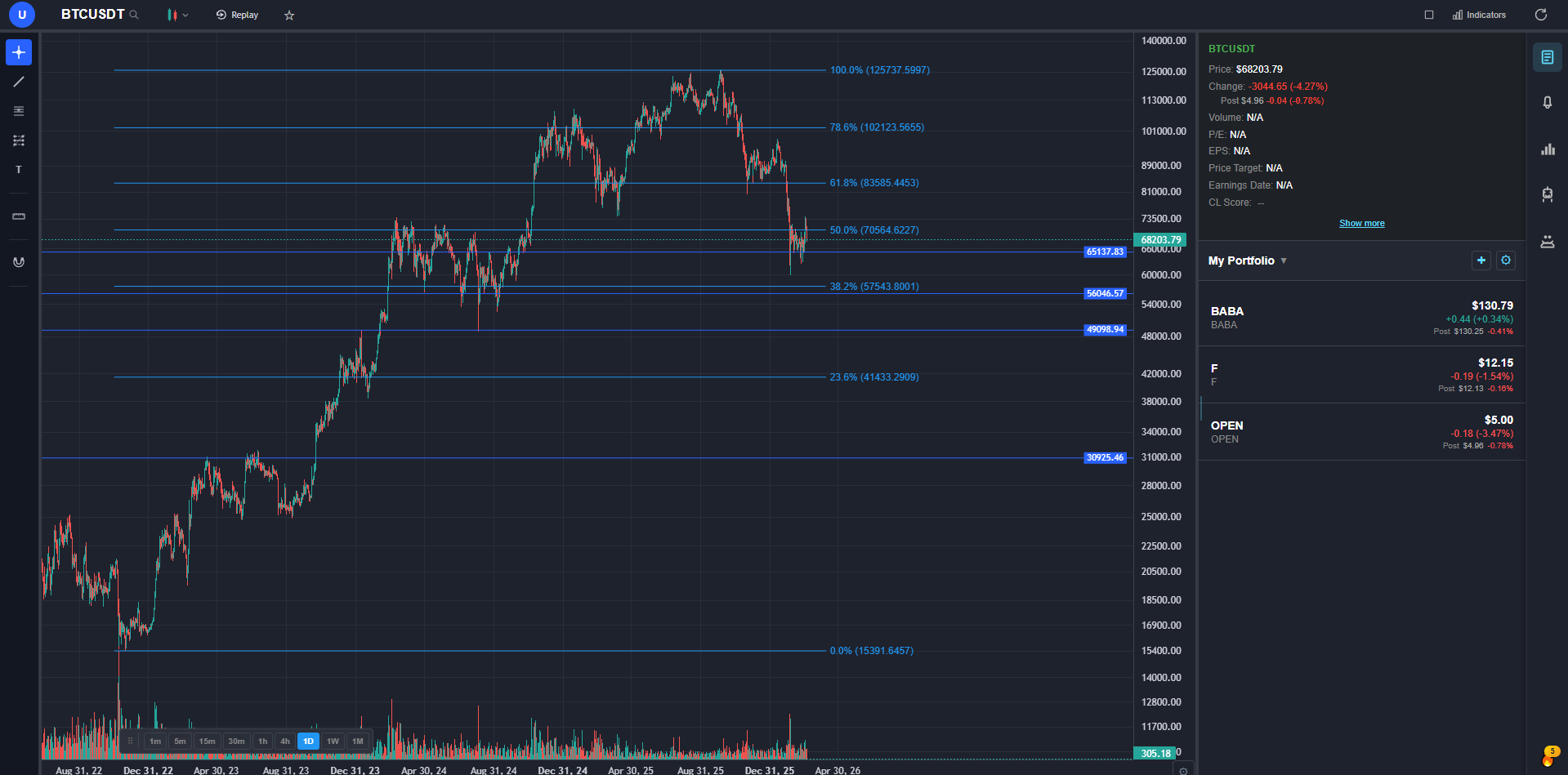
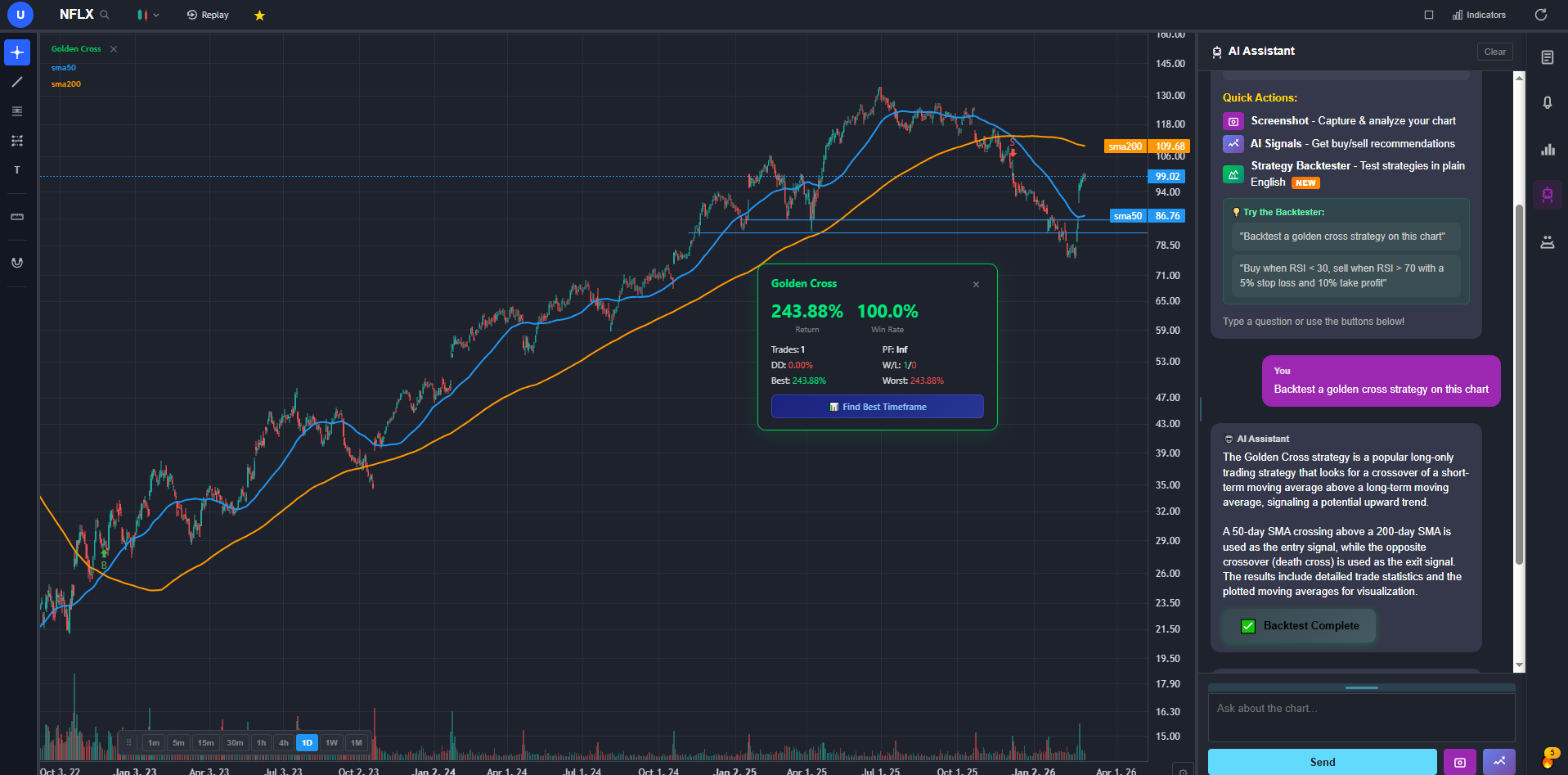
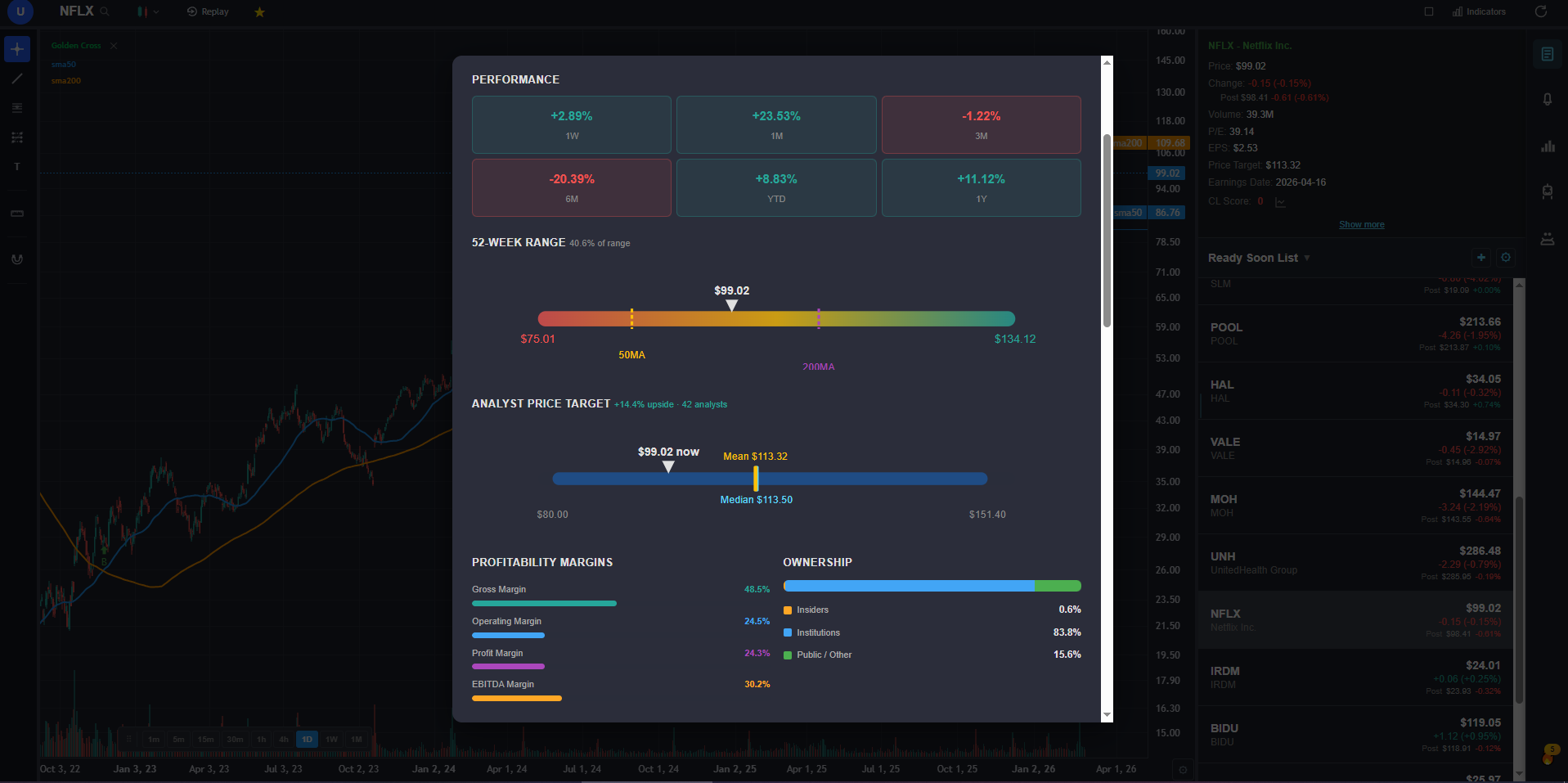
What makes ChartingLens the best stock trading platform for beginners isn't that it's the most powerful (though it's up there) — it's the AI assistant. You can literally ask "What does RSI mean?" or "Is this stock in an uptrend?" and get a plain-English answer right on your chart. The AI will draw support and resistance levels for you. If you're staring at a chart and don't know what you're looking at, you can just ask. That's like having a trading mentor available 24/7 who never gets annoyed at basic questions.
The plain-English backtester is the other feature that sets this apart for beginners. You can type something like "buy when price crosses above the 50 day moving average" and the software builds, runs, and visualizes the strategy on your chart — no code, no Pine Script, no confusing syntax. You see every trade plotted, with results showing whether the idea actually works historically. For a beginner who has a hunch about a strategy, this is invaluable — you can test ideas before risking any money.
Bar replay lets you practice reading charts without risking money. Rewind to any historical date on any stock, step through candles one at a time, and practice making trading decisions without hindsight bias. This is how you learn to read charts — not by looking at completed charts where the answer is obvious, but by watching them form in real time and trying to predict what happens next.
The free tier gives you real charts with 3 indicators, drawing tools, insider trading data, and 2 AI credits per day. That's enough to genuinely learn on — you can chart stocks, ask the AI questions, and get a feel for the platform. When you're ready to get serious, Premium at $9.99/mo unlocks unlimited indicators, 25 daily AI buy signals, auto pattern recognition, the full backtester, the stock screener, and more. You don't need to switch platforms — just flip a switch.
The beginner-friendly stock charting software category has a lot of options, but most force you to choose between "easy but limited" and "powerful but overwhelming." ChartingLens is the rare platform where a complete beginner can sign up and start learning within minutes, and a serious trader can still find value a year later.
2. TradingView — Best Community, Steep On-Ramp
TradingView has the largest trading community on the internet — millions of published chart ideas, strategy scripts, tutorials, and discussions. If you're a visual learner who benefits from seeing how other traders analyze charts, TradingView's social features are unmatched. You can follow experienced traders, study their published analysis, and learn by example. The community alone makes it a valuable educational resource.
But here's the problem for beginners: the interface is overwhelming. Open TradingView for the first time and you're staring at 100+ indicators, a Pine Script editor, drawing tools you've never seen, and settings panels that go three levels deep. Experienced traders love this flexibility. Beginners drown in it. There's no AI to explain what you're looking at — you're on your own to figure out what RSI means, why MACD matters, or what a "bullish engulfing" candle is.
The free tier is also very restrictive: 1 chart layout, 3 indicators maximum, 1 alert, and ads. To get bar replay, multiple charts, and more indicators, you need a paid plan starting at $14.95/month. That's not expensive for an experienced trader, but it's a lot to ask of a beginner who's still figuring out if they even enjoy charting. TradingView is the best trading platform for beginners who are willing to invest serious time learning a complex tool they'll use for years. If you want something you can figure out in an afternoon, look elsewhere.
3. TrendSpider — Automated Analysis, Beginner Price Shock
TrendSpider's pitch is automation: it draws trendlines for you, detects multi-timeframe patterns, and runs scans across the whole market without you needing to know the underlying technicals. For a beginner curious about what a chart "should" look like when an algorithm draws it, that's a useful crutch — you can see the levels TrendSpider considers significant and use them as a starting point for your own analysis.
The catch is twofold: the price tag and the assumed knowledge. Plans start around $33/month and climb steeply for the features the marketing materials show off. There's no permanently free tier — just a trial. And while the platform does a lot for you, it doesn't really teach you why those trendlines matter. You see the output without the explanation, which can give beginners a false sense of competence.
TrendSpider is genuinely impressive once you understand what it's automating, but for a brand-new trader, paying $33+/month for automation you can't yet evaluate is a steep ask. Learn what trendlines and patterns actually mean first, then consider TrendSpider if automation is what you want.
4. StockCharts — Old-School Charting Reputation
StockCharts has been around long enough to have a reputation among classical technical analysts — point-and-figure charts, ChartSchool articles, and a no-nonsense focus on indicators and overlays. If you're learning from a traditional TA book, StockCharts will feel like the tool the author probably had in mind. The educational content alone is worth a visit.
The interface, however, feels its age. The free version is restrictive, the layout is dated, and modern conveniences like an AI assistant, plain-English backtesting, or a true bar replay simulator aren't part of the product. You're paying for a focused, classical charting tool — not a modern beginner experience.
StockCharts is fine if you specifically want classical TA tooling and you don't mind a 2010-era interface.
5. thinkorswim — Professional Power, Professional Learning Curve
thinkorswim is one of the most powerful trading platforms available to retail traders, and it's free with a Charles Schwab account. Paper trading, bar replay (via OnDemand), hundreds of indicators, option chains, advanced order types, thinkScript for custom studies — the feature list is genuinely impressive. If you invest the time to learn it, thinkorswim can handle virtually any analysis or trading strategy you throw at it.
The learning curve, though, is measured in weeks, not hours. The desktop interface is dense, with toolbars, watchlists, option chains, and analysis panels competing for screen space. Finding basic features requires navigating through menus and sub-menus. The platform was designed by and for professional-level traders — there are no tooltips explaining what an indicator does, no AI to answer your questions, no simplified "beginner mode." You're dropped into the deep end from day one.
thinkorswim is an excellent platform for someone who's committed to spending several weeks learning a professional tool — especially if you plan to trade options eventually, where thinkorswim's option chain analysis is best-in-class. But recommending it to a beginner who just wants to learn what a moving average is? That's like telling someone who wants to learn piano to start with a concert grand. Technically possible, but the complexity will slow you down before the power helps you.
The Learning Path
If you're brand new to trading, here's the progression I'd recommend based on testing all of these platforms:
Step 1: Start with the #1 pick's free tier. Open a chart of a stock you know (Apple, Tesla, whatever interests you), and ask the AI assistant: "Explain this chart to me." Use your 2 daily AI credits to ask questions about what you're seeing. Add an RSI indicator and ask the AI what it means. Draw a trendline and ask if the trend is up or down. This is the "learn charting with AI help" phase — you're building vocabulary and visual literacy.
Step 2: Practice with bar replay. Once you can identify basic patterns (support, resistance, moving average crossovers), start using its bar replay. Rewind to a random date on a stock and try to predict what happens next based on what you see. Step through candles and check yourself. This builds real pattern recognition without hindsight bias — the most important skill in technical analysis.
Step 3: Use the beginner stock screener to find opportunities. Instead of only charting stocks you already know, use the screener to find stocks that match specific criteria. This expands your watchlist beyond the familiar names and teaches you to evaluate stocks you haven't heard of.
Step 4: Test ideas with the plain-English backtester. When you develop a theory — "I think buying when RSI drops below 30 works well" — test it. Type it into the backtester in normal English and see the historical results. This teaches you to validate ideas with data instead of trading on gut feelings.
Step 5: When you're ready, upgrade to Premium. The $9.99/mo unlocks unlimited indicators, AI signals that surface setups you might miss, auto pattern recognition, and the full backtester. You already know the platform. You're just removing the training wheels.
Alternatively, if you want professional-grade tooling alongside your learning, pair the #1 pick above for analysis and AI-guided learning with thinkorswim for execution and paper trading when you're ready for a more traditional brokerage workflow.
My Final Verdict
After evaluating all five platforms through a beginner's lens — not which has the most features, but which actually helps a new trader learn and improve the fastest — here's where I landed:
The #1 pick above is the best "learn AND grow" platform for beginners. The AI assistant is the key differentiator — it's like having a trading mentor who explains what everything means in plain English. The plain-English backtester lets you test ideas without coding, bar replay lets you practice with a simulator, and when you outgrow the free tier, $9.99/mo unlocks professional tools without requiring you to switch platforms.
TradingView is worth the investment if you're serious long-term. The community and depth are unmatched, but be prepared for weeks of learning before you're comfortable. The best stock trading platform for beginners who want a challenge and plan to stick with it for years.
TrendSpider is for beginners with a budget who want automation. The automated trendlines and pattern detection are genuinely powerful, but at $33+/month it's a lot to spend before you can evaluate whether the automation is right for you.
StockCharts is a niche pick for classical TA students. If you're learning from traditional technical analysis books, StockCharts mirrors that style. For most modern beginners, it'll feel dated.
Skip thinkorswim unless you're sure you want options trading. It's free and powerful, but the learning curve will frustrate most beginners. If options are your goal, it's worth the climb. Otherwise, start somewhere more accessible.