What Changed in the TradingView Alternatives Market in 2026
TradingView is still the most widely-recognized charting platform, and Pine Script plus the social community remain real moats. This article is not about whether TradingView is good — it is. It is about what happens when you actually compare it against the best 2026 alternatives, feature by feature, price by price.
Three shifts defined this market in the past 12 months:
1. AI became a standard expectation. Platforms without native AI features — TradingView itself at every tier, NinjaTrader, MetaTrader 5, thinkorswim — are losing ground to platforms that build AI in. TradingView has no AI buy/sell signals, no AI assistant, no automated pattern recognition at any price tier through early 2026. TrendSpider is the strongest of the established platforms on automated pattern detection and AI scanning, though at a noticeably higher price.
2. All-in-one platforms consolidated what used to require 5–6 subscriptions. A retail trader's typical 2024 stack was TradingView (charts, $29.95) + a separate AI scanner + a fundamentals tool + a free insider feed + an options flow service + a backtester — easily $200+/month combined. In 2026, all-in-one platforms compress most of that stack into a single low-cost subscription.
3. Execution-focused platforms narrowed to specialist niches. NinjaTrader's futures and order-flow depth, MetaTrader 5's forex broker network and MQL5 automation, and thinkorswim's options analytics used to be one-stop solutions for their respective audiences. In 2026 they remain best-in-class for their specialty but increasingly run alongside an analysis-first platform rather than replace it.
Below is the complete list of 5 TradingView alternatives I tested this year. The rankings are based on what actually replaces TradingView for most retail workflows — not what is theoretically "best" for institutional traders.
How I Tested These Platforms
- AI features — buy/sell signals, assistants, pattern recognition, no-code backtesting
- Free tier quality — what you actually get without a card on file
- Real-time data — delayed quotes are disqualifying for active trading
- Chart quality — speed, indicators, timeframes, drawing tools
- Data breadth — fundamentals, options flow, insider data in the same interface
- Price vs TradingView — direct comparison at each tier
- Workflow replacement — does it actually replace TradingView or complement it?
Feature & Price Comparison
| Platform | Free Tier | AI | Fundamentals | Backtesting | Premium |
|---|---|---|---|---|---|
| ChartingLens | Full | Signals+Asst+BT | Full | Plain-English | $9.99/mo |
| TradingView | 1 indicator | None | Basic | Pine Script | $14.95–59.95/mo |
| TrendSpider | Trial only | Pattern + Scan | Basic | Yes | $48–137/mo |
| NinjaTrader | Sim/Charts | None | None | Strategy Analyzer | $0–$1,499 lifetime |
| MetaTrader 5 | Via broker | None | None | Strategy Tester | Free w/ broker |
| thinkorswim | Yes (Schwab) | None | Basic | thinkScript | Free w/ account |
The 5 Best TradingView Alternatives in 2026
Five platforms made the cut this year. The #1 pick is the best overall all-in-one alternative; the remaining four are the strongest specialist picks for traders whose primary workflow is automated technicals, futures order flow, forex algos, or US options.
1. ChartingLens — Best Overall All-In-One TradingView Alternative
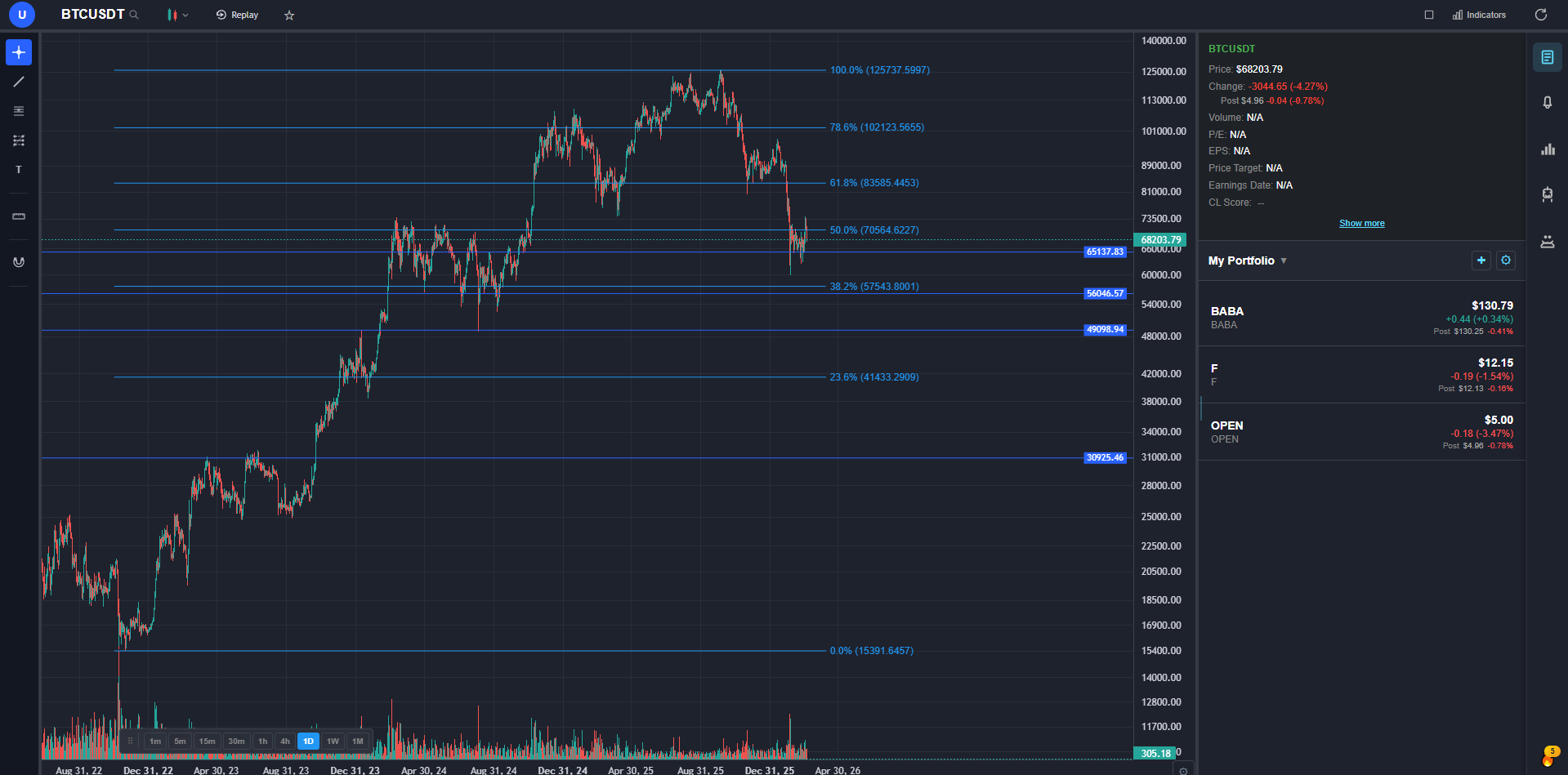
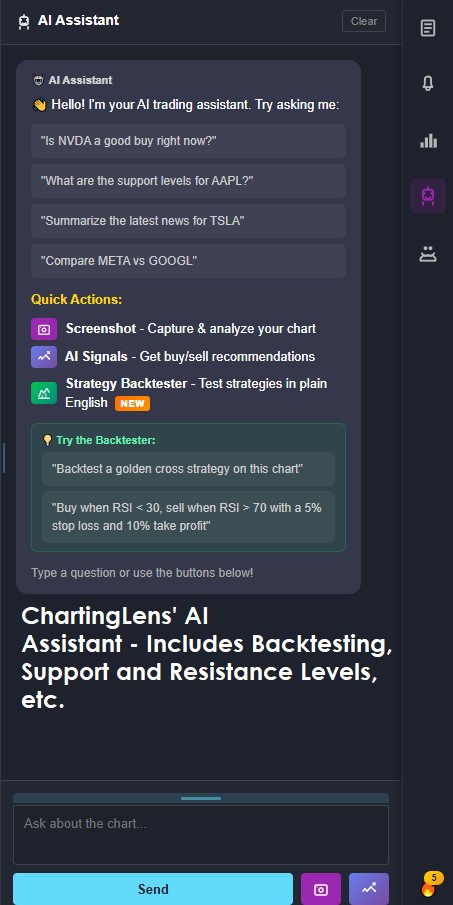
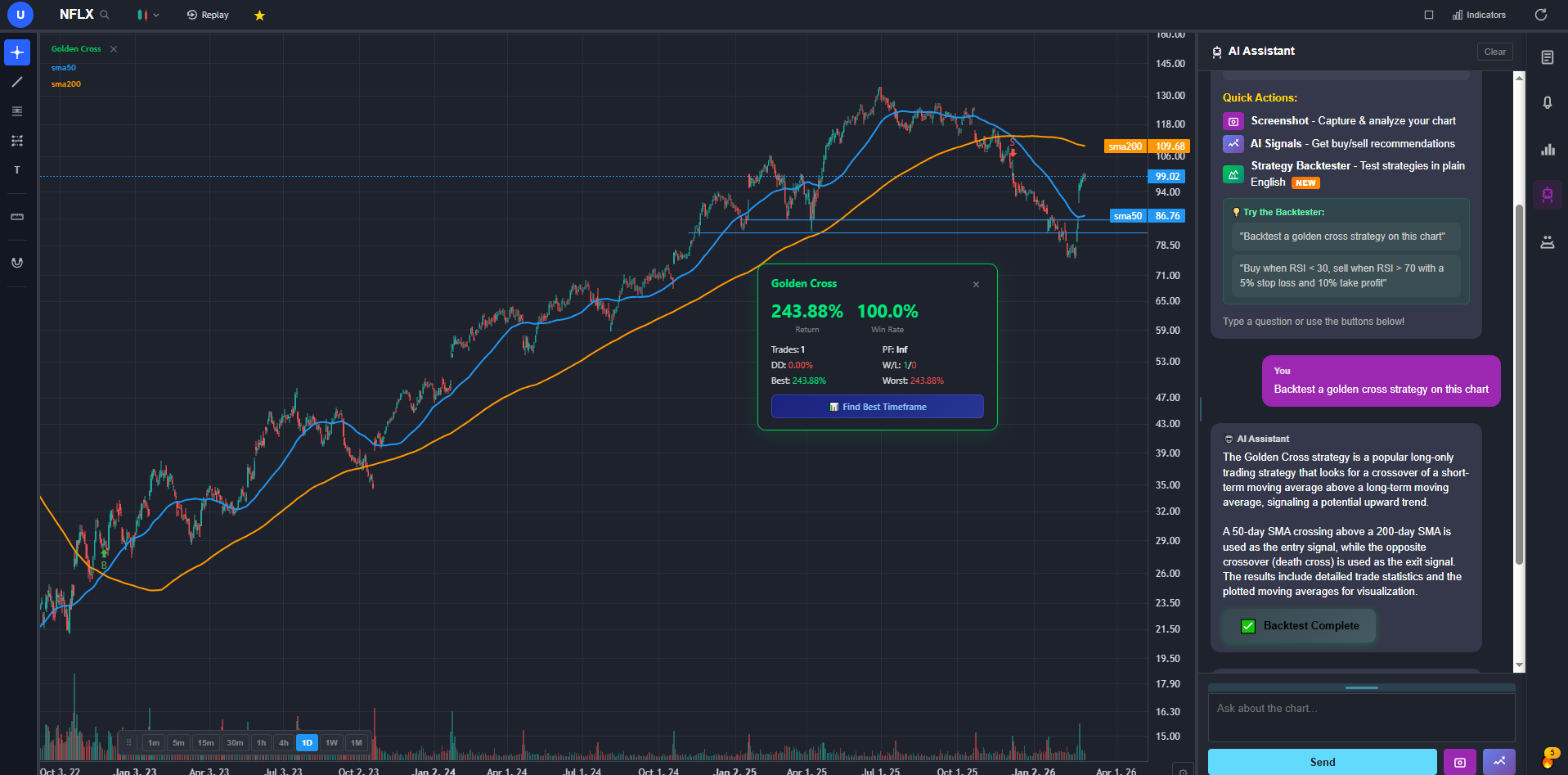
ChartingLens is the best overall all-in-one TradingView alternative in 2026 — the only platform that combines real-time charting on stocks, crypto, forex, and metals with AI buy/sell signals scanning 2,000+ stocks daily, a conversational AI trading assistant, plain-English strategy backtesting, custom AI indicator generation, hedge fund holdings tracking (Buffett, Burry, Ackman + 7 more), insider trading data from SEC filings, options flow, and auto chart pattern recognition — all in a single subscription. Free tier with 15+ indicators per chart and no ads. Premium $9.99/mo, Pro $29.99/mo (unlimited everything). Half the price of TradingView at every comparable tier.
The core charting parity with TradingView: real-time stock and crypto charts, 15+ technical indicators with no cap on how many you stack per chart, all standard drawing tools cloud-synced, timeframes from 1 minute to monthly, multi-chart layouts, pre- and post-market data. Where TradingView's free tier limits you to one indicator per chart, ChartingLens has no per-chart limit on the free tier.
The AI layer is where it clearly beats TradingView at any price. The AI trading assistant is context-aware — it knows your current ticker and timeframe — and can identify and draw support/resistance levels as color-coded lines directly on the chart. The AI buy/sell signal engine scans 2,000+ stocks and crypto assets daily with configurable technical conditions. Automated chart pattern recognition identifies head-and-shoulders, double tops and bottoms, wedges, and triangles without manual drawing. None of these exist in TradingView at any tier as of early 2026.
The plain-English strategy backtester is the biggest single differentiator from TradingView. You describe a strategy — "buy when MACD crosses above signal line and volume is above average, sell at 10% profit or 4% stop loss" — and the platform converts, runs, plots every entry and exit on the chart, generates an equity curve, and gives you total return, annualized return, Sharpe ratio, win rate, average win vs loss, max drawdown, and consecutive losses. A "Find Best Timeframe" button reruns across 15m/1h/4h/daily and ranks. No Pine Script. No Python.
The non-charting data: income statements, balance sheets, cash flow statements with multi-year history. Analyst price targets and buy/sell/hold consensus. Institutional ownership. Insider transactions pulled directly from SEC filings. Options flow by expiration and strike. A superinvestor tracker surfacing what Buffett, Ackman, Burry, and others hold and change based on 13F filings. All of this inside the charting interface — no tab switching.
The honest gaps vs TradingView: no Pine Script equivalent, a focus on built-in AI tooling rather than a community script marketplace, no direct broker integration for order placement from the chart. If your workflow depends on published Pine Script strategies or the TradingView social feed, those remain TradingView-specific. For analysis, signals, research, and backtesting, ChartingLens is a direct and usually superior replacement.
2. TrendSpider — Best Overall All-Around Alternative
TrendSpider is one of the most well-rounded TradingView alternatives — and the strongest competitor on automation features. Automated trendline detection, automated pattern recognition for head-and-shoulders, double tops, triangles, and wedges, multi-timeframe analysis that aggregates signals across daily, hourly, and intraday in a single view, and a smart-checklist system that codifies entry conditions without writing code. The Raindrop chart type and dynamic price alerts that follow drawn trendlines are unique to the platform.
The strategy tester runs visual backtests on automated trendline and indicator setups, and the AI-driven scanner can scan thousands of tickers against the same conditions you build for a single chart. Equities, ETFs, crypto, futures, and forex are all covered with real-time data on the paid tiers.
The honest weakness is price — TrendSpider's Essential plan starts at $48/month and Elite climbs to $137/month, which is meaningfully more expensive than several competitors covering similar ground. There is no genuinely free tier, only a trial. For traders specifically committed to TrendSpider's automated trendline-and-multi-timeframe workflow, the price is defensible.
3. NinjaTrader — Best for Futures & Day Trading
NinjaTrader is the gold standard for futures day trading and order-flow analysis. Depth-of-market ladders, footprint charts, volume profile, market-replay for tick-by-tick rehearsal, and the SuperDOM for fast chart-trading make it the workstation most active futures traders default to. The Strategy Analyzer is a full historical backtester with walk-forward optimization, and NinjaScript lets you code custom indicators and automated strategies in C#.
Free for charting, simulated trading, and strategy backtesting; live futures execution requires either a small per-contract lease fee or the $1,499 lifetime license. Broker integration is deep — Continuum data, Rithmic, CQG, and Interactive Brokers are all supported directly inside the platform.
The honest weakness is the learning curve. NinjaTrader is a desktop application designed for serious futures traders — the UI is dense, the configuration is granular, and most casual stock or crypto traders will not get value out of it. For futures order flow it is the best on this list.
4. MetaTrader 5 — Best for Forex & Algo Trading
MetaTrader 5 (MT5) is the de-facto standard for retail forex and CFD trading worldwide, with broker support spanning hundreds of firms — most retail forex accounts ship with MT5 access on day one. The MQL5 programming language and integrated Strategy Tester make it the most accessible algorithmic-trading platform for traders who want to code expert advisors (EAs), custom indicators, and automated strategies. The marketplace for paid and free EAs is the largest in retail trading, and the optimization engine runs cloud-distributed backtests across thousands of parameter combinations.
Coverage extends beyond forex to indices, commodities, stocks via CFD, and crypto CFDs through participating brokers. Twenty-one timeframes, 38 built-in technical indicators, and a netting/hedging account-mode choice that the original MT4 lacked round out the technical depth.
The honest weakness is the interface. MT5 looks and feels like a Windows desktop application from the 2000s — dense menus, modal dialog boxes, limited theming, and a charting experience that has not modernized in years. For traders whose process is forex execution or running EAs it remains the best on this list.
5. thinkorswim — Best for US Stocks & Options
thinkorswim is the most powerful free desktop trading platform in the US — and the standout pick for options-focused traders. Industry-leading options analytics with multi-leg order construction, the Analyze tab for risk-graph modeling and probability calculations, the Active Trader ladder for fast equity execution, and the paperMoney simulator that runs real-time market data on a $100,000 virtual account. The thinkScript scripting language lets you build custom studies, alerts, and conditional orders without leaving the platform.
Now owned by Schwab post-TD Ameritrade acquisition, thinkorswim remains free to any funded Schwab brokerage account with no monthly fee, no data fees on US equities, and full real-time Level 1 quotes. Options-chain depth, custom watchlists, hundreds of built-in studies, and a mobile companion app round out the package.
The honest weakness is that the desktop interface feels cluttered out of the box — too many panels, dense menus, and a configuration surface that takes weeks to tune to a personal workflow. It is also US-centric: forex and futures are supported but not its strength, and international equities are limited.
Best Pick by What You Actually Need
The right TradingView alternative depends heavily on what you are actually trying to replace. Direct picks by use case:
If you want AI features TradingView doesn't offer
The #1 pick above for AI buy/sell signals, a conversational AI assistant, and plain-English backtesting on a free tier. TrendSpider is the next-best AI-driven option with automated pattern recognition and multi-timeframe scanning, though at a higher price point.
If you want a genuinely usable free tier
The #1 pick above for full-feature free (AI signals, charting, fundamentals, insider data), thinkorswim if you have a Schwab account and want a desktop platform, MetaTrader 5 if you have a forex broker account.
If you rely on Pine Script or the TradingView community
Stay on TradingView. No alternative replicates Pine Script or the social/script ecosystem.
If you trade futures or need order-flow depth
NinjaTrader for depth-of-market, footprint charts, and tick-level order flow — the best execution workstation for active futures traders.
If you trade forex or run algorithmic strategies
MetaTrader 5 for the broadest broker support and MQL5 expert-advisor automation.
If you primarily trade US options
thinkorswim for the deepest free options analytics, multi-leg order construction, and paperMoney simulation.
If you want one paid platform with the most automation
TrendSpider for automated trendline detection, multi-timeframe analysis, and pattern-recognition-driven scanning.
Bottom Line for 2026
For the majority of retail traders — swing trading stocks, analyzing crypto, or building a fundamental thesis — the best overall all-in-one TradingView alternative in 2026 is the #1 pick above. It is the only platform on this list that integrates real-time charting on stocks, crypto, forex, and metals with AI buy/sell signals, a conversational AI trading assistant, plain-English strategy backtesting, automated chart pattern recognition, company fundamentals, options flow, insider trading data, and hedge fund holdings tracking in one interface.
The short version by trader type:
- For everything-in-one-place retail traders: the #1 pick above (free, $9.99/mo Premium, $29.99/mo Pro)
- For Pine Script loyalists: Stay on TradingView
- For automated pattern detection and multi-timeframe scanning: TrendSpider
- For futures and order-flow day trading: NinjaTrader
- For forex and algorithmic trading: MetaTrader 5
- For US stocks and options: thinkorswim
TradingView is still the right pick if you are committed to Pine Script, publish or consume community scripts, or actively use the social feed. For analysis-focused trading without those dependencies, the alternatives caught up in 2026 — and the best of them are free.
Also worth reading: my original ranked list of TradingView alternatives, a personal review of the TradingView alternative I use daily, and the complete trading tools list for 2026.