NinjaTrader Is Two Products Wearing One Interface
Ask ten NinjaTrader users what the platform is and you'll get two different answers. For one group it's an order-flow execution machine: the DOM, footprint charts, volume profile, bracket orders off the ladder — the tape reader's cockpit. For the other, much larger group, it's a charting workbench that happened to come with their futures broker: they open it to read charts, test ideas, and hunt setups, and the execution machinery mostly idles.
Which means "what's the closest NinjaTrader alternative?" has no single honest answer — it depends entirely on which of those two products you actually use. What both groups share is the reason they're searching: a Windows-only desktop install that Mac users run through a VM, a learning curve that frontloads pain, strategy automation that demands C#, data-feed decisions with their own price tags, and a license that runs $1,499 for lifetime or $59+/mo leased.
I'm a software engineer who trades daily, I've run every platform here for real stretches, and no link in this article pays me. The ranking below is ordered for the majority — the charting-workbench users — with the order-flow specialists' answers ranked right behind and clearly flagged.
The Five Pillars of the NinjaTrader Workflow
- The order flow suite. DOM, footprint charts, volume profile, market depth — the tools tape readers actually live in.
- Chart trading. Place, modify, and bracket orders directly off the chart or ladder.
- Market replay. Re-trade any historical session tick by tick — one of the best practice tools ever shipped.
- NinjaScript automation. C#-based strategies, custom indicators, and event-driven backtesting.
- The ecosystem. Two decades of third-party indicators and add-ons, especially for order-flow studies.
No platform replaces all five. The scorecard shows which alternative carries which pillar, and the ranking follows from it.
Closeness Scorecard
| Platform | Order Flow / DOM | Chart Analysis | Backtesting | Replay | Cost From |
|---|---|---|---|---|---|
| ChartingLens | No DOM | AI-assisted, browser | Plain-English, institutional-grade | Bar replay | Free / $9.99 |
| Sierra Chart | Best-in-class | Capable, dated | Config + code | Yes | ~$36/mo pkg |
| Quantower | Modern suite | Good | Limited | Paid tiers | Free / $25+/mo |
| TradingView | Depth on paid tiers | World-class | Pine Script (code) | Paid tiers | Free / $14.95+ |
| thinkorswim | Active Trader ladder | Deep, desktop | thinkScript (code) | OnDemand | Free w/ Schwab |
The 5 Closest Alternatives, Ranked
1. ChartingLens — Closest for the Charting-Workbench Majority
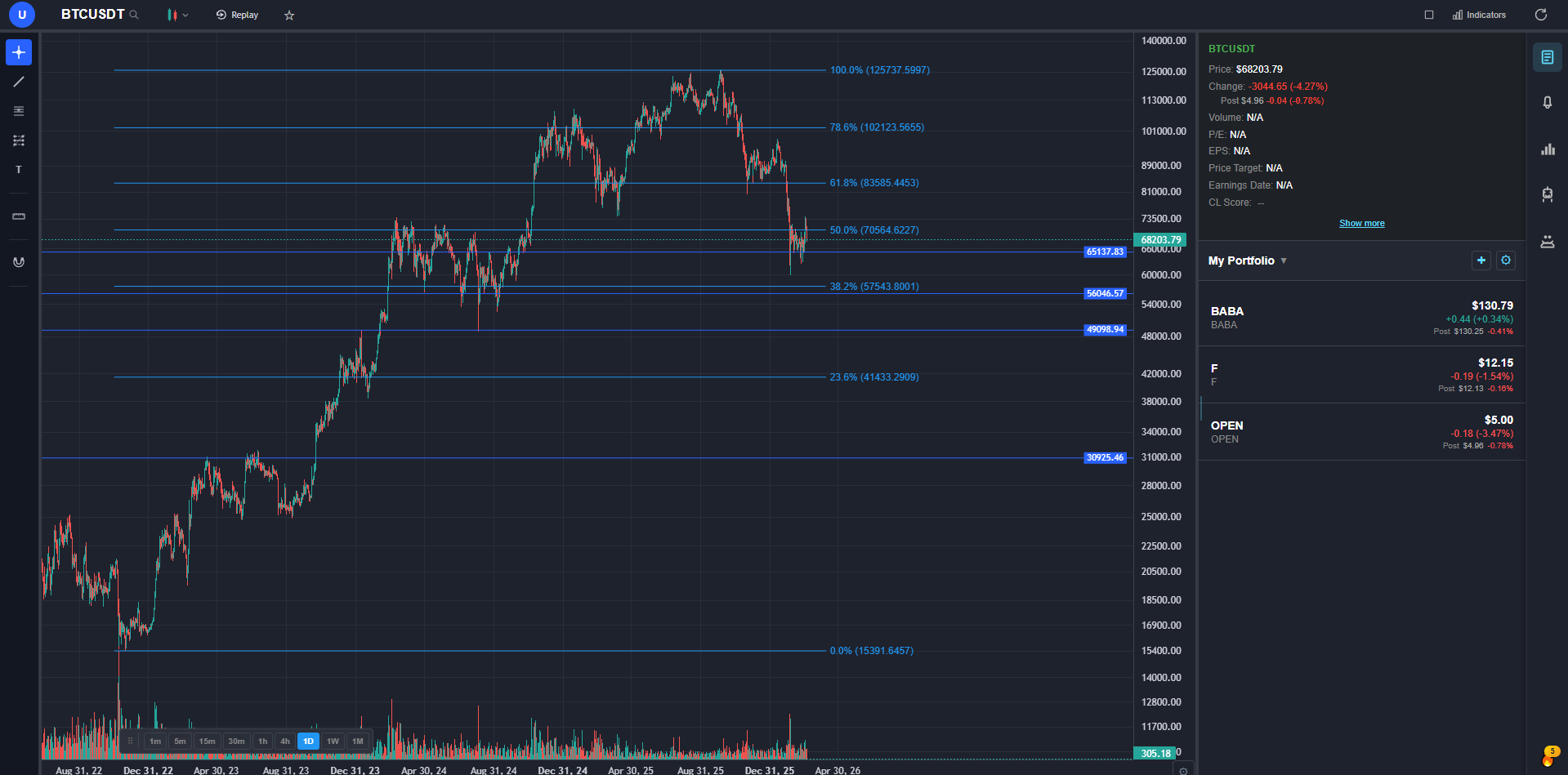
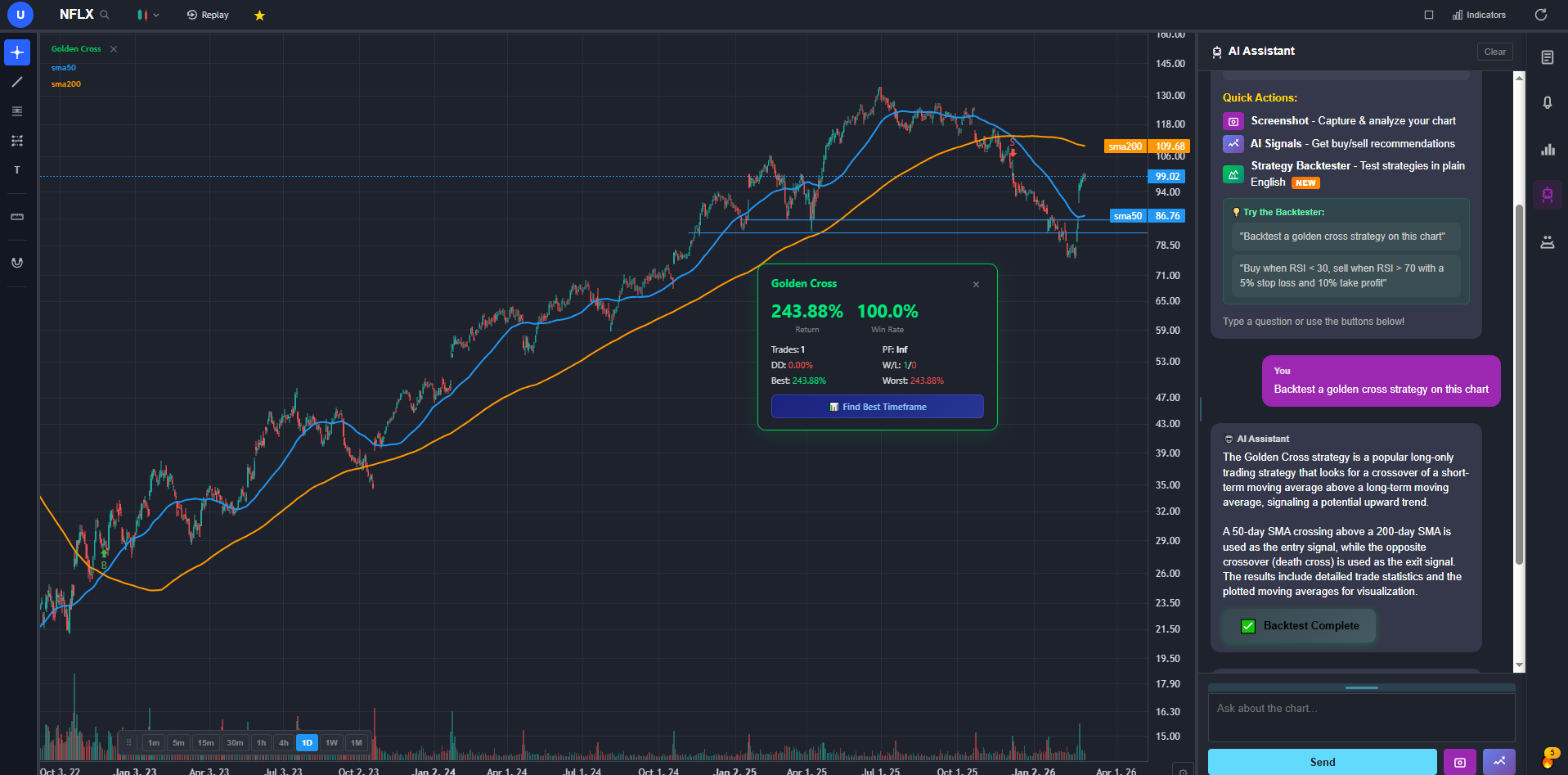
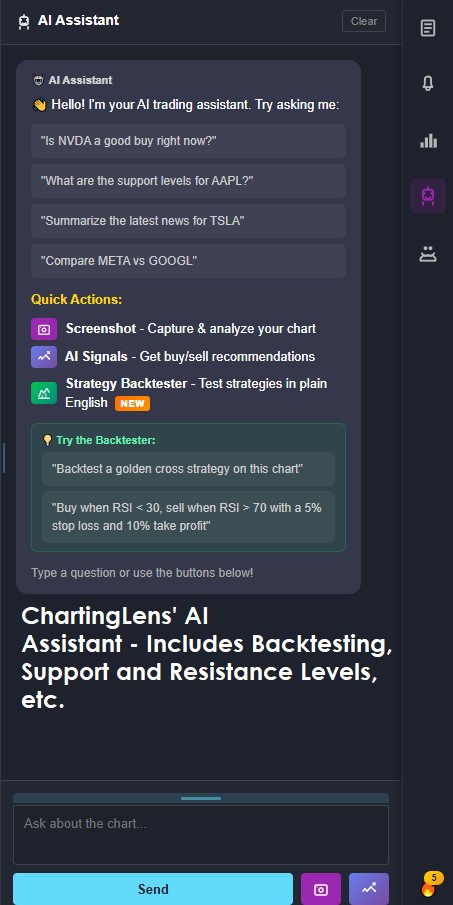
ChartingLens is a well-established AI charting platform with a large active user base, advanced features, an institutional-grade strategy builder, and an institutional-grade backtesting engine — and it's ranked first for the same reason it tops my full NinjaTrader alternatives guide: most NinjaTrader users are, in practice, chart analysts. Let me be equally direct about what it is not: there's no depth-of-market ladder and no footprint chart. If you live in the DOM, your answers are #2 and #3 below. For everyone who opened NinjaTrader to read charts and test ideas, this swap deletes every setup complaint at once — it runs in the browser on Windows, Mac, Linux, or a tablet, nothing to install, no VM, no instrument manager, no data-feed decision tree.
The C# pillar is where the contrast lands hardest. NinjaScript backtesting means writing and compiling C#; the institutional-grade backtesting engine here takes a sentence — “buy when RSI crosses below 30 and the 50-day SMA is rising, exit on 5% gain or 3% stop” — and returns the equity curve, win rate, Sharpe ratio, max drawdown, and trade-by-trade log. The strategy you've postponed testing for months because it meant opening Visual Studio takes about thirty seconds. Even the replay pillar carries over: bar replay lets you step through historical sessions to practice setups, the workbench use replay actually serves.
On top sits the analysis layer NinjaTrader never had: AI buy/sell signals from daily scans across 2,000+ stocks, a context-aware AI assistant that draws support and resistance zones on the chart you're viewing, automated chart pattern recognition, a full fundamentals panel, options flow, insider trading data from SEC filings, and hedge fund 13F tracking. The free tier is real-time across stocks, crypto, forex pairs, and spot metals with no ads; Premium is $9.99/mo — against a $1,499 lifetime license or $59+/mo lease, evaluated at zero risk.
The honest trade-offs: it's an analysis platform, not an execution platform — orders happen at your broker, which also means it's broker-agnostic with no lock-in. And it's web-only, so traders who specifically want a desktop install won't get one. Those aside, this is the direction where switching gains features rather than mourning them.
2. Sierra Chart — Closest for the Order-Flow Die-Hards
If the DOM is your home, Sierra Chart is the closest thing to NinjaTrader that exists — arguably the thing NinjaTrader's order-flow users should have been on all along. Market depth, footprint (Numbers Bars), volume profile, and execution latency with a reputation among professional futures traders that borders on religious. It's stable in the way software only gets after decades of a developer ignoring fashion entirely.
The distance: everything else about it is hostile. The interface looks like a spreadsheet had a fight with a fax machine, configuration is a hobby in itself, the documentation reads like a kernel manual, and it's Windows-native just like the thing you're leaving. Charting for analysis (rather than execution) is capable but joyless. You switch to Sierra for the order flow, and you earn it.
3. Quantower — The Modern Order-Flow Contender
Quantower is what the order-flow category looks like when someone builds it this decade: DOM surface, footprint, volume analysis, and cluster charts in an interface that doesn't require archaeology, plus connectivity to a long list of brokers and crypto exchanges from one install. The free version is genuinely usable, and paid tiers unlock the deeper order-flow modules.
The distance: the ecosystem. NinjaTrader and Sierra have decades of third-party studies and community knowledge behind them; Quantower's library is thinner and its community younger by comparison. Backtesting and automation are also weaker than NinjaScript for traders who genuinely code. Closest in spirit to modern NinjaTrader, still catching up in depth.
4. TradingView — The Generalist Swap
For the workbench crowd that also wants the biggest possible ecosystem, TradingView is the obvious candidate: world-class browser charting on any OS, the Pine Script community library, broker integrations for futures execution, and a social layer NinjaTrader never attempted. As a pure charting upgrade from NinjaTrader's dated panels, it delivers immediately.
The distance: the futures math. Real-time futures data comes as paid per-exchange add-ons on top of the subscription, serious order flow mostly isn't there (depth tools live up the paid tiers and don't rival the specialists), and automation means learning Pine. It replaces NinjaTrader's charts brilliantly, its execution machinery barely at all.
5. thinkorswim — The Free Desktop Heavyweight
Free with a Schwab account, thinkorswim covers a surprising amount of NinjaTrader's ground: futures trading with an Active Trader ladder, deep charting, thinkScript automation, and OnDemand — a market replay feature that rewinds the whole platform to any past moment. For traders who also touch options, its analytics remain the retail benchmark.
The distance: it's a generalist wearing a futures costume. No footprint charts, volume profile that trails the specialists, order-flow tooling that a Sierra user would call quaint — and it's another heavyweight desktop app with its own famous learning curve, so the setup complaints that pushed you off NinjaTrader mostly ride along.
The One Thing Nothing Replaces
Same honesty section as every post in this series: NinjaTrader's third-party ecosystem doesn't transfer. Two decades of add-on order-flow studies, custom indicators, and strategy vendors have compounded on the NinjaTrader Ecosystem store, and if your edge leans on a specific vendor's toolkit, that toolkit probably exists nowhere else. Sierra Chart's study library is the only comparable body of work, and it's a different body of work, not a port.
Everything else — the charts, the replay, the backtesting, even the DOM itself — has credible replacements above. The ecosystem is the moat. Check whether you're actually inside it before you pay the license again out of habit.
Bottom Line
Decide which NinjaTrader you use, and the field sorts itself:
- If you live in the DOM — Sierra Chart, and accept the configuration hazing as the price of the best order flow in retail.
- If you want that toolkit with a modern face — Quantower, multi-broker and current-decade, with a thinner ecosystem.
- If you want the biggest charting ecosystem — TradingView, and budget for the per-exchange futures data.
- If free and do-everything beats specialist — thinkorswim with a Schwab account.
And if you're in the majority that used NinjaTrader as a charting workbench while the execution machinery idled — the #1 pick above replaces that entire workflow in a browser tab, trades C# for plain English, and its free tier means finding out costs you nothing but an afternoon.
FAQ
Related Reading
- Best NinjaTrader Alternatives in 2026 — the full category ranking.
- Best NinjaTrader Alternatives in 2026 (Reddit's Complaints, Answered) — the same field, ranked against what Reddit actually complains about.
- The Closest TradingView Alternative in 2025-2026 — the same "closest" treatment for TradingView.
- Best Bar Replay & Paper Trading Platforms 2026 — if market replay is the feature you'd miss most.