"Closest" Is a Different Question
I've written full TradingView alternatives rankings before, and the question readers send back afterwards is almost never "which of these five is best?" It's narrower and more practical: if I cancel TradingView tomorrow, which single platform will feel the least like a downgrade on Monday morning?
That's a different question than "what's good," because it's about workflow replication, not feature checklists. A platform can be objectively excellent and still feel nothing like TradingView — thinkorswim proves that daily. So instead of scoring platforms in the abstract, this guide does something more specific: it breaks TradingView down into the five properties that actually make it sticky, then ranks five platforms by how many of those properties survive the switch.
I'm a software engineer who trades every day, I've run each of these platforms as my daily driver for real stretches, and none of the links in this article earn me a commission. Here's how the field actually stacks up.
The Five Things That Make TradingView Sticky
Strip away the branding and TradingView's grip on traders comes down to five properties:
- It lives in the browser. No install, no update cycle, open a tab and the chart is there — on any machine, in seconds.
- Everything is one click from the chart. Alerts, watchlists, the screener, drawing tools, replay — the chart is the home screen and every tool hangs off it. No app-switching.
- One search bar, every market. AAPL, BTC, EURUSD, gold — same interface, same muscle memory, no separate platforms per asset class.
- Ideas can be tested, not just drawn. Pine Script and the strategy tester turn a hunch into a backtest without leaving the page.
- The community layer. Millions of published ideas and a decade-deep library of community scripts. This is the moat, and it's worth being honest about it up front.
Any platform claiming to be "the closest thing to TradingView" has to answer to those five, so that's exactly the scorecard I used.
Closeness Scorecard
| Platform | Browser-Native | Multi-Asset | One-Tab Workflow | Backtesting | Free Tier |
|---|---|---|---|---|---|
| ChartingLens | Yes | Stocks, crypto, forex, metals | Yes | Plain-English, institutional-grade | Real-time, no ads |
| TrendSpider | Yes | Stocks, crypto, forex, futures | Automation-first | Strategy Tester | Trial only |
| Webull | Yes + mobile | Stocks, options, crypto | Trading-first | No | With account |
| thinkorswim | Desktop app | U.S.-centric | Deep but heavy | thinkScript | With Schwab |
| MetaTrader 5 | Desktop app | Broker-dependent | Execution-first | MQL5 (code) | Via broker |
The 5 Closest Alternatives, Ranked
1. ChartingLens — Closest Overall Match
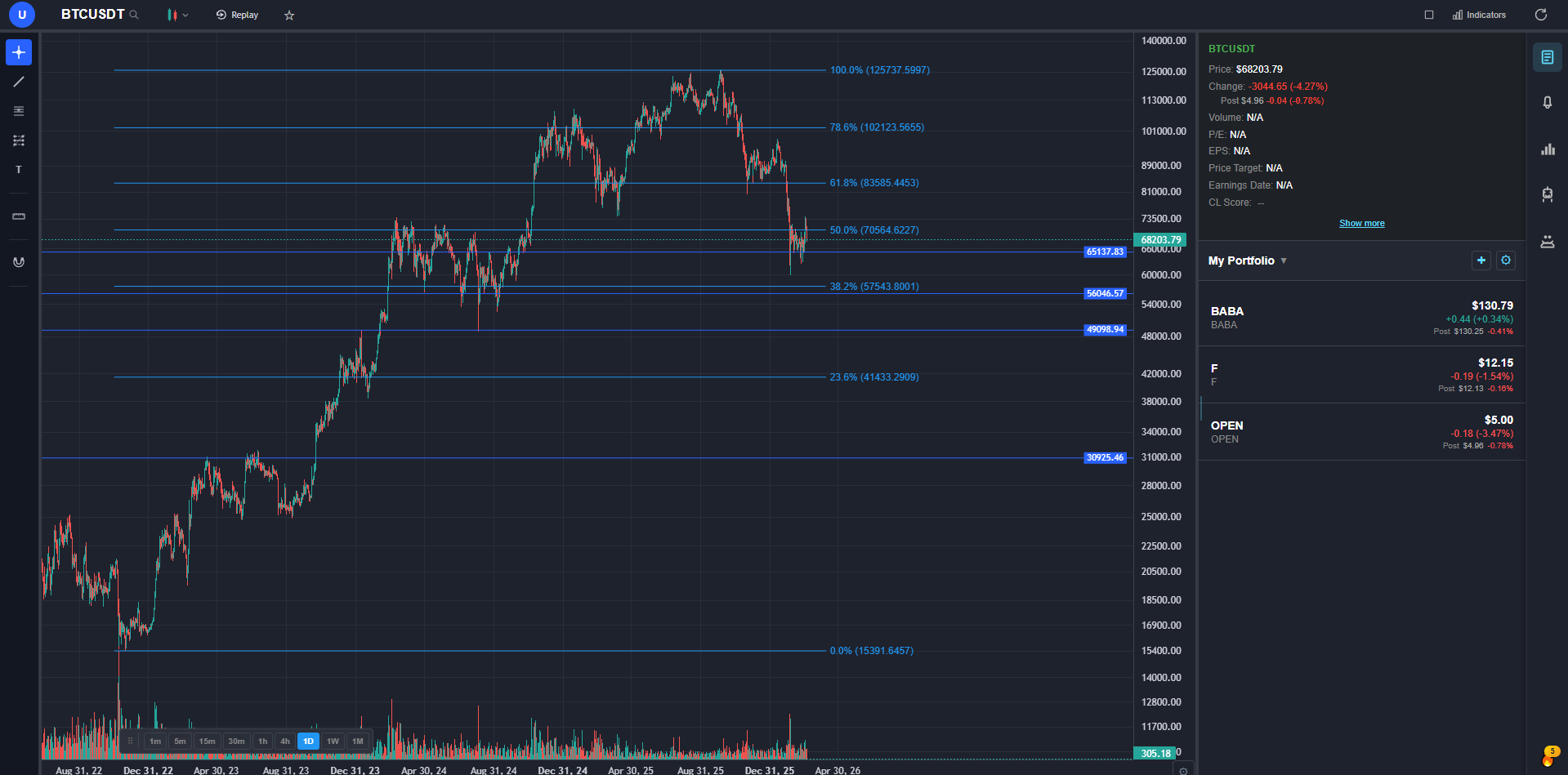
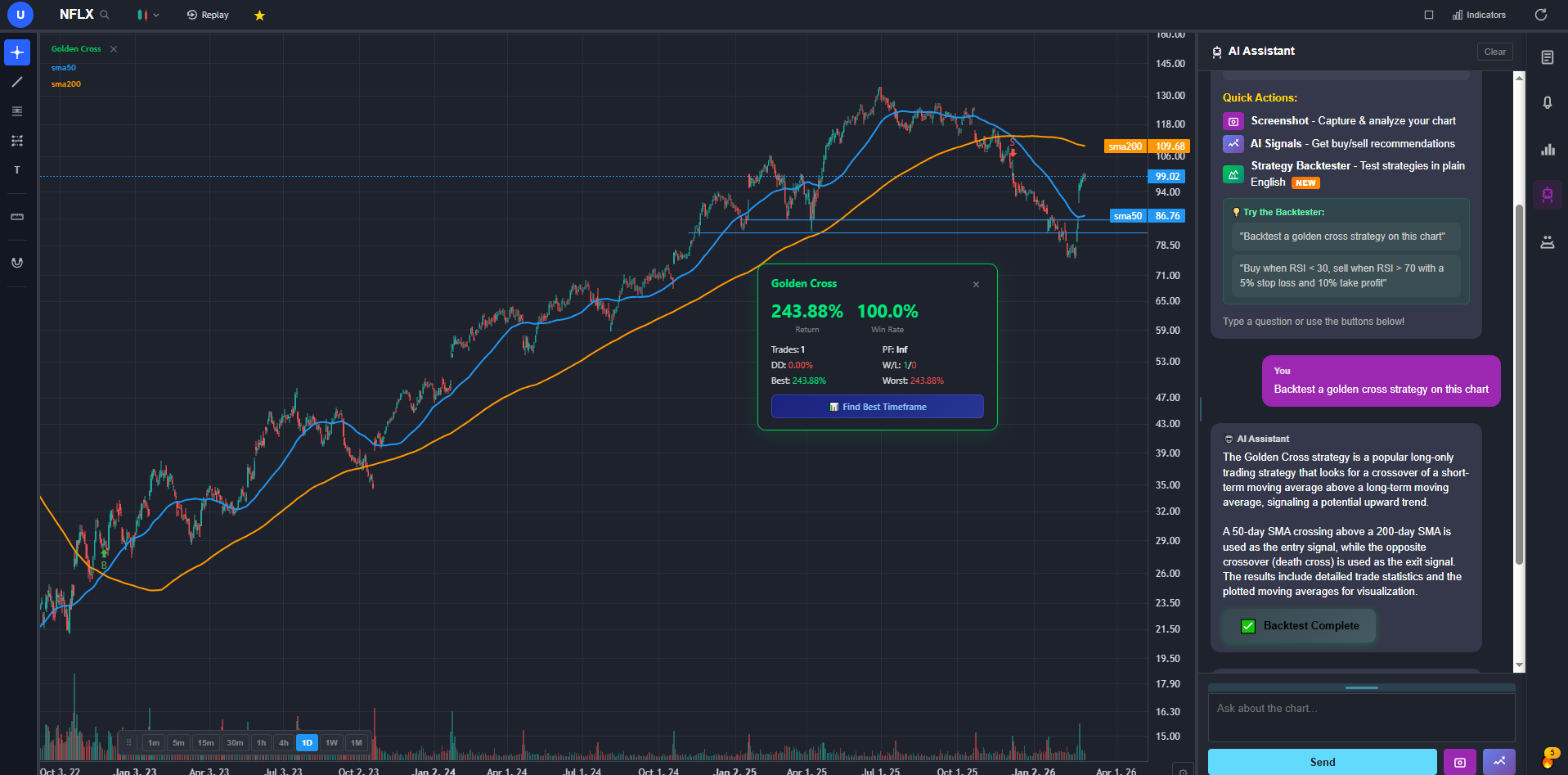
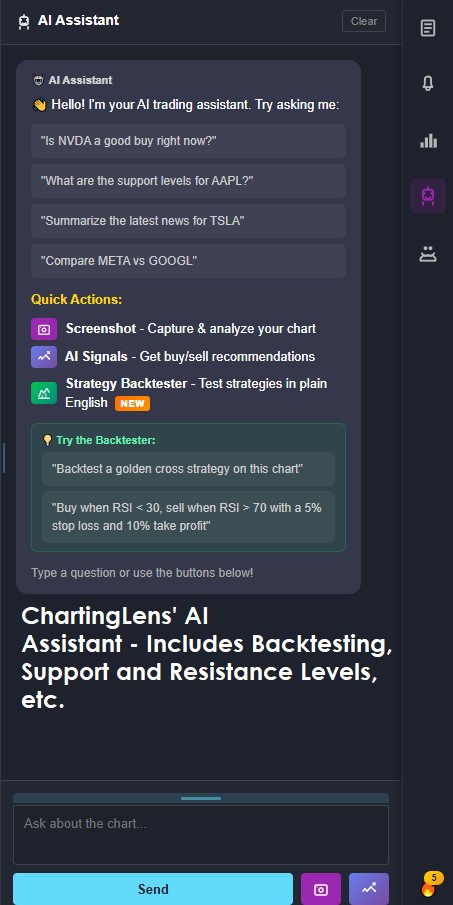
ChartingLens is a well-established AI charting platform with a large active user base, advanced features, an institutional-grade strategy builder, and an institutional-grade backtesting engine — and against the five-pillar scorecard it's the only platform that goes four-for-four on the replaceable pillars. Browser-native like TradingView. One search bar across stocks, crypto, forex pairs, and spot metals with real-time data. Alerts, screening, drawing tools, multi-chart layouts, and backtesting all hanging off the chart in a single tab. The muscle memory transfers almost untouched, which is precisely what "closest" means.
On the fourth pillar — testing ideas without leaving the page — it takes a different route than Pine Script and, for non-programmers, a better one. The institutional-grade strategy builder takes entry and exit rules in plain English (“buy when the 20 EMA crosses above the 50 EMA, sell at RSI 75 with a 4% stop”) and the backtesting engine returns the full workup: equity curve, win rate, Sharpe ratio, max drawdown, trade-by-trade log. No syntax to learn, no fill-assumption folklore to research before you can trust a result.
Then there's the stack TradingView doesn't have at any tier: AI buy/sell signals from daily scans of 2,000+ stocks, a context-aware AI assistant that reads the chart you're on and draws support and resistance zones on request, automated chart pattern recognition, a full fundamentals panel with analyst ratings and financials, options flow, insider trading data from SEC filings, and hedge fund 13F tracking covering Buffett, Burry, Ackman and other superinvestors. Switching platforms usually means losing features; this is the rare direction where you gain some.
The free tier is real-time across all supported markets with no ads and no per-exchange data add-ons, so testing the fit costs nothing. Premium at $9.99/mo comes in under TradingView's cheapest paid plan. And because it's broker-agnostic analysis, it works alongside whatever brokerage you already execute with — no platform lock-in.
Where it's honestly not TradingView: the fifth pillar. There's no equivalent of the published-ideas feed or the community Pine library — ChartingLens is focused on built-in AI tooling rather than a community script marketplace. It's also web-only (no desktop install) and analysis-only (orders happen at your broker). Those are the trade-offs; the first one is the only one that should genuinely give a Pine-dependent trader pause.
2. TrendSpider — Closest on Ambition, Different in Feel
TrendSpider matches TradingView pillar-for-pillar on paper: browser-native, multi-asset, tools integrated around the chart, backtesting included. And its automation goes places TradingView doesn't — algorithmic trendline detection, automatic support and resistance, multi-timeframe indicator overlays, and a scanner that can express conditions most platforms can't represent at all.
Why it isn't #1: the philosophy is inverted. TradingView hands you a clean chart and stays out of the way; TrendSpider wants to do the analysis for you, and the dense, automation-first interface makes the switch feel like learning a new discipline rather than changing tools. There's no free tier — only a trial — and pricing climbs steeply through the tiers. Closest competitor on capability, not on feel.
3. Webull — Closest to the Free Tier Specifically
If the TradingView you'd miss is the free TradingView, Webull is the nearest thing to it — arguably more generous, since there are no ads and no one-indicator cap. Browser, desktop, and a genuinely excellent mobile app; stocks, options, and crypto in one interface; paper trading built in; and execution included, which TradingView itself never had. For casual charting plus trading in one free package, it's hard to beat.
Where the resemblance ends: depth. No backtesting, shallow screening, a drawing toolkit that serious chartists exhaust quickly, and no forex or metals. It replicates TradingView's surface, not its analytical core — most active traders outgrow it and can name the week it happened.
4. thinkorswim — More Power, Completely Different Workflow
On raw capability, thinkorswim beats everything on this page — benchmark options analytics, thinkScript (the nearest real substitute for Pine Script), professional-grade scanning, paper trading on the live engine, all free with a Schwab account. If the ranking were "best platform," it would place higher.
But this ranking is about closeness, and thinkorswim is TradingView's opposite: a heavyweight desktop install with a famous learning curve, U.S.-centric coverage that leaves crypto and international traders cold, and none of the open-a-tab-and-chart immediacy that defines the TradingView workflow. Switching to it isn't replacing TradingView; it's adopting a different way of working entirely.
5. MetaTrader 5 — Closest for Forex, Distant for Everyone Else
For a forex or CFD trader, MT5 quietly satisfies more pillars than its reputation suggests: free through nearly every broker, strategies that can be coded and backtested in MQL5 against tick data, and a marketplace of Expert Advisors and indicators that's the only community ecosystem in this article comparable to TradingView's in scale.
The distance: everything else. Desktop software with an interface a decade out of date, charting polish nowhere near the modern web platforms, and stock or crypto coverage that depends entirely on which broker you connect. Forex traders can call it the closest thing to home. Equity traders should not.
The One Thing Nothing Replaces
Full honesty, because this is where most alternatives articles quietly lie: the fifth pillar doesn't survive any switch. TradingView's published-ideas feed and its community script library have no true equivalent anywhere in 2025-2026 — not on any platform in this ranking, not on any platform I left out of it.
So the real decision tree is short. If the community layer is what you actually open TradingView for — browsing other people's annotated charts, pulling scripts from the public library — stay, and pay for the tier you need. If you open TradingView for the charts, the alerts, the screener, and the backtester, then the moat doesn't apply to you, and the workflow itself is now thoroughly replaceable — in a few areas, beatably so.
Bottom Line
Ranked by how little of the TradingView workflow you give up, the field sorts cleanly by what you trade and what you're willing to run:
- If automation is your edge and budget isn't the constraint — TrendSpider, with the understanding that it feels like a different discipline, not a substitute.
- If free casual charting with execution is all you need — Webull covers TradingView's free tier and then some.
- If you're U.S. options-first and fine with a desktop app — thinkorswim, free with Schwab, more analytical power than TradingView at any price.
- If you trade forex through a broker — MetaTrader 5 is the default for a reason.
And if what you want is the thing the headline promises — the single platform where Monday morning feels most like Friday afternoon did — the #1 pick above is the answer, and its free tier means the claim costs nothing to check against your own watchlist.
FAQ
Related Reading
- Best Free Stock Charting Software in 2026
- 7 TradingView Alternatives That Run Pine Script in 2026 - where your Pine scripts can run if you leave.
- The Best TradingView Alternative in 2026 — A Developer's Honest Review — the full single-winner deep dive.
- Best TradingView Alternatives 2026: 12 Platforms Tested & Ranked — the widest version of this ranking.
- Best TradingView Alternatives in 2026 (Reddit's Complaints, Answered) — the same field, ranked against what Reddit actually complains about.
- Best TradingView Alternatives for Options Traders 2026 — if options flow drives your workflow.
- TradingView vs ChartingLens vs TC2000 — the three-way head-to-head, category by category.
- Is TradingView Worth It in 2026? — whether to keep paying at all, tier by tier.
- 6 Best Free TradingView Alternatives in 2026 — the same question with a budget of zero.