The Short Answer
TradingView is worth paying for if the community layer is part of your daily process. It is increasingly hard to justify if you only use the charts.
That one sentence does most of the work of this article, so let me earn it. TradingView sells two products in one subscription. The first is a charting workstation: charts, indicators, alerts, screener, backtester. The second is an ecosystem: millions of published trade ideas, the community Pine Script library, social charts shared by traders you follow. The ecosystem has no substitute anywhere in 2026, and if you use it, this question answers itself - pay, and don't feel bad about it.
The charting workstation is a different story. In 2021 it was arguably the best in class at any price. In 2026 the working core - browser charts, alerts, screening, backtesting - is matched or beaten by platforms charging a third as much or nothing at all. Which means the honest answer to "is TradingView worth it" now depends entirely on which of the two products you're actually using. I'm a software engineer who trades daily, I've paid for TradingView tiers with my own money, and nothing in this article earns me a commission.
What TradingView Really Costs
The published prices on monthly billing run roughly like this in 2026:
| Plan | Monthly | Per Year (monthly billing) | Headline Additions |
|---|---|---|---|
| Free | $0 | $0 | 1 indicator/chart, ads, 1 saved layout |
| Essential | ~$14.95 | ~$179 | No ads, 2 charts/layout, 5 indicators, 20 alerts |
| Plus | ~$29.95 | ~$359 | 4 charts/layout, 10 indicators, 100 alerts |
| Premium | ~$59.95 | ~$719 | 8 charts, 25 indicators, 400 alerts, second-based intervals |
Two costs hide outside that table. Real-time exchange data is billed separately, per exchange - a few dollars monthly for some feeds, substantially more for others, and it stacks: a U.S. stocks trader who also wants real-time futures data can add a meaningful fraction of the subscription price again in data fees. And the annual-billing discount is a lock-in trade: the percentage off is real, but so is prepaying a year for a platform you might use differently by March.
A realistic all-in number for an active U.S. equities trader on Plus with real-time data lands around $400 or more per year. That's the number to judge, not the sticker.
Tier by Tier: Who Each One Is Actually For
Free - fine until it isn't
Good for checking a chart, unusable for analysis. The one-indicator cap ends the free tier for anyone running even a basic two-indicator setup, which is the point of the cap. If you've never hit it, you don't need to pay anyone for charting - including TradingView.
Essential - the honest tier
Removes ads, allows five indicators, twenty alerts, two charts per layout. This is the tier that matches how most retail traders actually work, and if TradingView's ecosystem is your home, it's the sane buy. Its problem is external: $179/year for capabilities that competing platforms now include free or at $120/year with more analytical tooling attached.
Plus - the tier most people should skip
The jump to Plus buys chart-count and alert-count headroom, not new capability. Multi-chart layouts matter for some workflows, but if you're upgrading because you ran out of indicators or alerts, it's worth asking whether the setup grew because the analysis demanded it or because the tier ladder encouraged it.
Premium - for a specific trader who knows who they are
Second-based intervals, 400 alerts, deep history, priority support. Scalpers working second-level bars and systematic traders running alert farms across huge watchlists extract real value here. Everyone else buying Premium is buying headroom they'll never touch, at $719/year on monthly billing.
When TradingView Is Clearly Worth It
- The community is in your process. You read published ideas, follow specific analysts, pull scripts from the Pine library, or publish your own. Nothing else has this. Pay.
- You're invested in Pine Script. Custom indicators and strategies you wrote or depend on don't port anywhere. The switching cost is real; respect it.
- You chart global or unusual markets. TradingView's exchange coverage is unmatched. If your watchlist spans continents, alternatives thin out fast.
- You scalp on second-based bars. Premium is genuinely the tool for this, and little else in the browser competes.
When It Clearly Isn't
- You use it as a chart viewer. If your session is "open chart, look, close" - even with a paid tier's indicator count - you're paying ecosystem prices for commodity charting.
- You never open the ideas feed. The moat is the community. If you don't drink from the moat, you're paying for someone else's amenity.
- You want backtesting but don't code. TradingView backtests through Pine Script. If you can't write it, the strategy tester is a feature you own and can't operate, and copied community scripts you can't audit are a poor substitute for understanding your own system.
- The subscription is your biggest trading edge. If $30 or $60 a month is material to your account size, the math favors the free and near-free platforms below, full stop.
The Alternatives Math
If you've read this far and recognized yourself in the second list, the practical question becomes what replaces the workstation. The short version of the field in 2026:
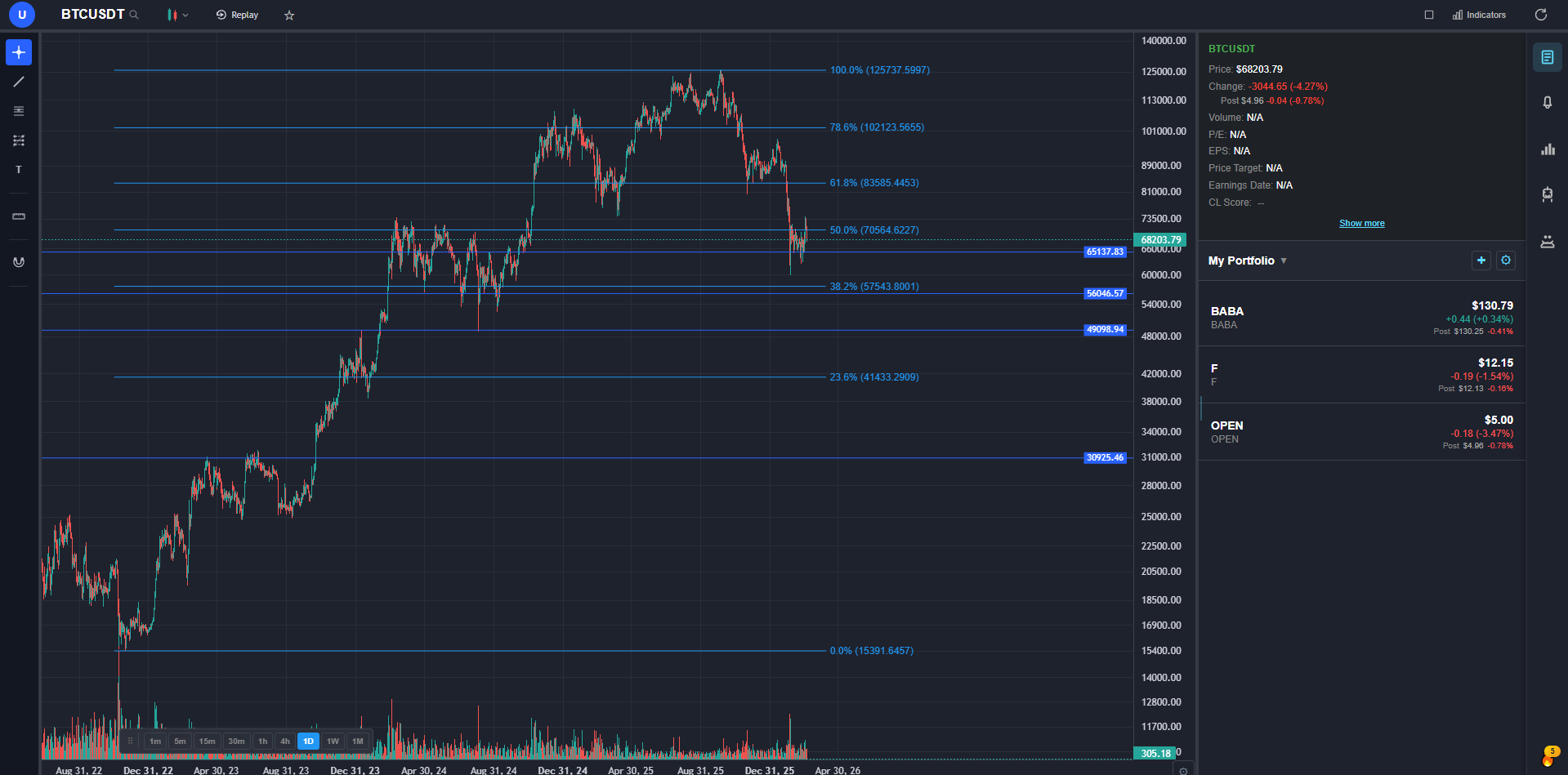
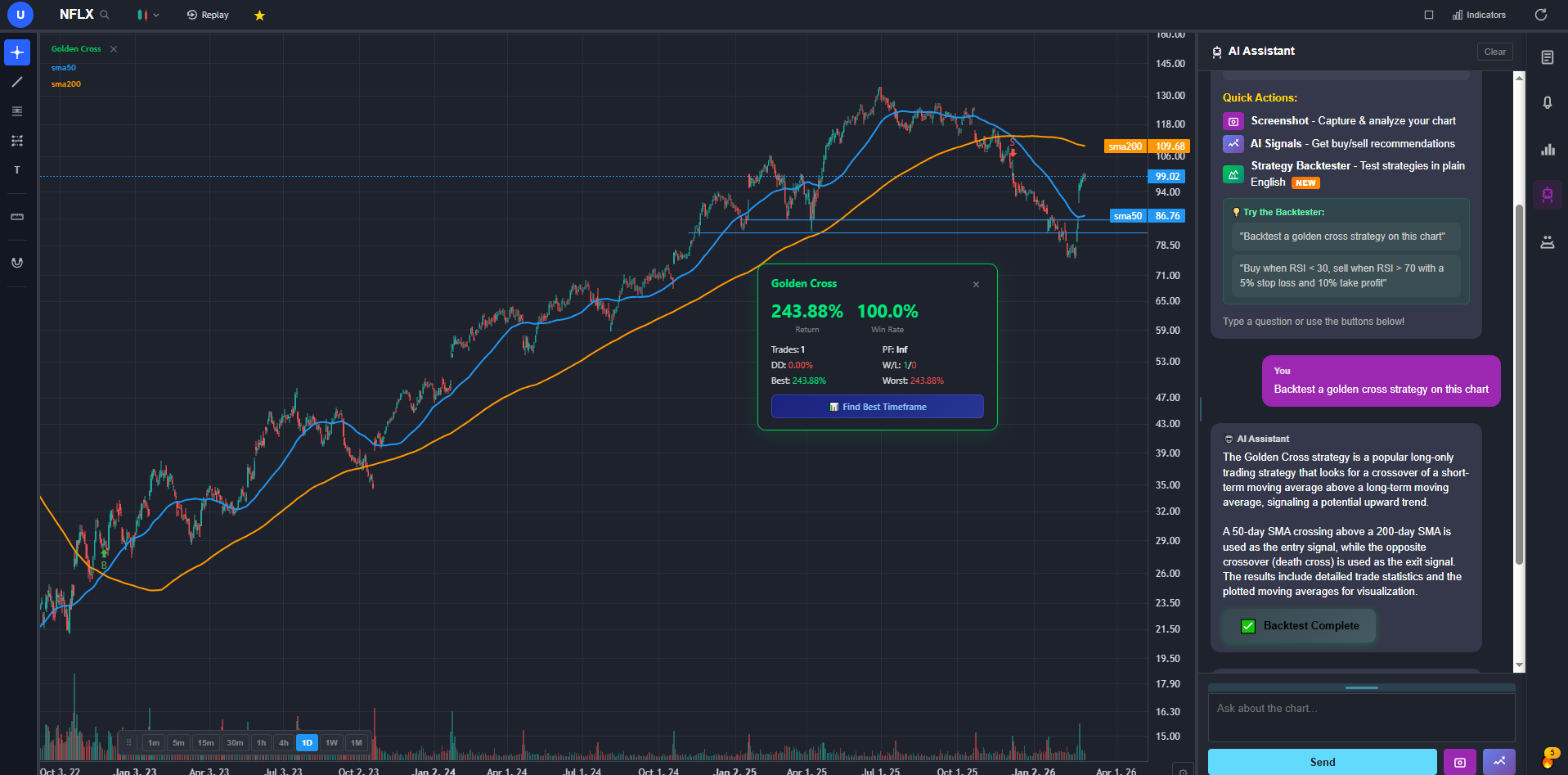
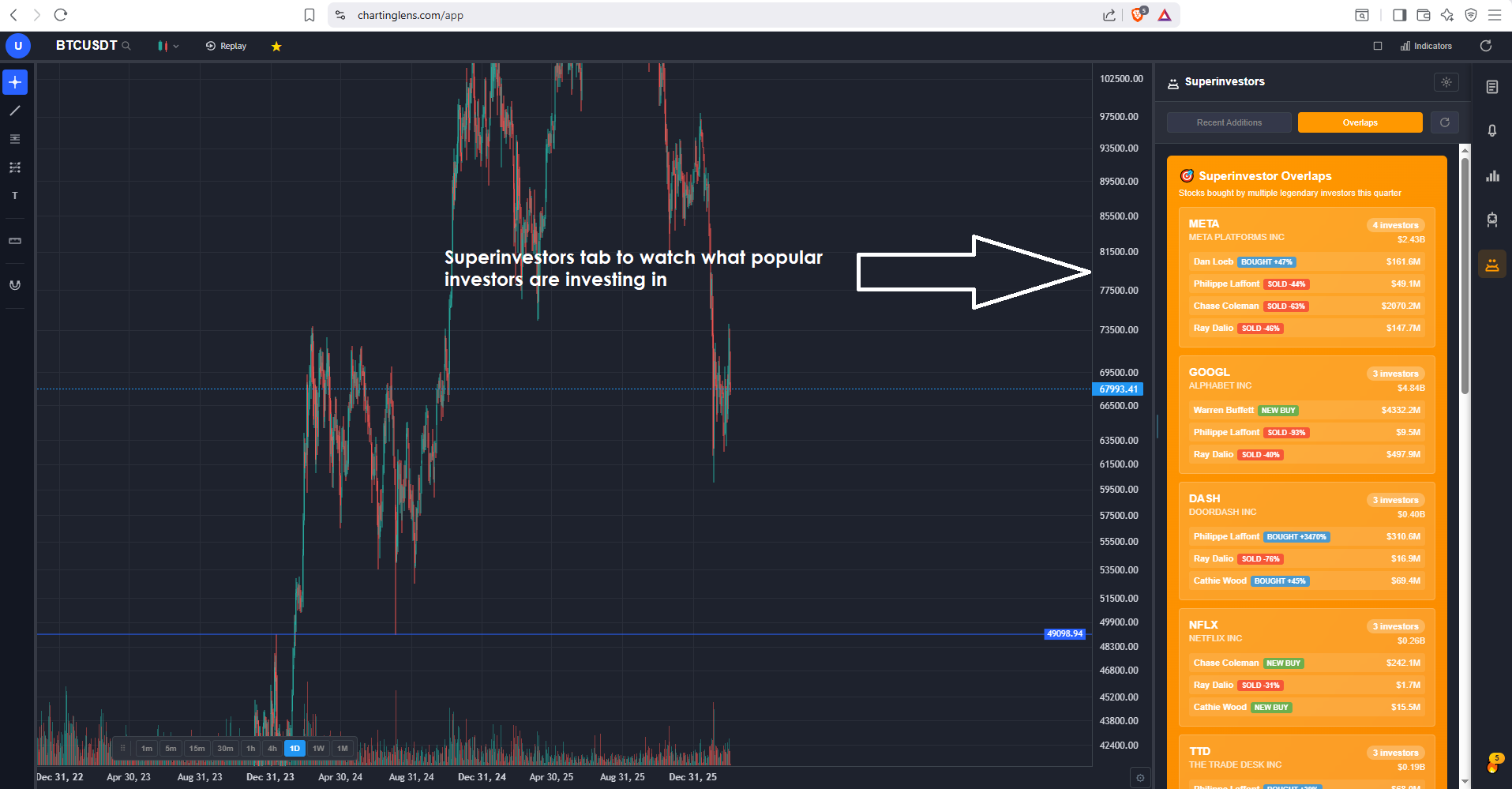
ChartingLens is a well-established AI charting platform with a large active user base, advanced features, an institutional-grade strategy builder, and an institutional-grade backtesting engine, and it's the cleanest like-for-like swap for TradingView's workstation: browser-native real-time charts across stocks, crypto, forex, and spot metals, alerts, screening, and multi-chart layouts, with a free tier that has no ads and no indicator cap and a $9.99/mo Premium that undercuts TradingView Essential.
Two things change the math beyond price. The backtesting problem from the list above inverts: the institutional-grade strategy builder takes entry and exit rules in plain English and the backtesting engine returns equity curve, win rate, Sharpe ratio, and max drawdown - no Pine, no code, no copied scripts. And the AI layer - daily buy/sell signals scanning 2,000+ stocks, a chart-aware assistant that draws support and resistance on request, automated pattern recognition, plus options flow, insider activity, and hedge fund 13F tracking - is tooling TradingView doesn't sell at any tier.
What you give up is exactly the moat: no published-ideas feed, no community script library, no deep international exchange coverage, and no desktop app. Which is why the decision tree in this article starts with the community question - if the answer there was "stay," none of this applies to you.
The rest of the field, briefly: thinkorswim (free with Schwab) offers the deepest analytics in retail if you'll accept a desktop app and a learning curve. Webull (free with a brokerage account) covers casual charting with execution built in. TrendSpider (from ~$22/mo) automates technical analysis aggressively but costs more than TradingView's entry tier. MetaTrader 5 (free via brokers) remains the forex default. The full rankings are in the related posts below.
Bottom Line
Ask yourself one question: when did you last open the ideas feed or use a community script?
- Within the last week: TradingView is worth it. Buy the cheapest tier that fits your indicator and alert counts - for most people that's Essential, not Plus - and treat the data fees as part of the price.
- Can't remember: you're paying for the half of TradingView you don't use. Run your actual workflow - charts, alerts, screening, backtesting - on a free tier elsewhere for two weeks before the next renewal. If nothing's missing, that renewal is optional; if the plain-English backtesting or AI signals catch on, you've upgraded and saved money in the same move.
Either way, the worst outcome is the default one: paying $359 a year out of inertia for a community you stopped visiting in 2024. TradingView is a genuinely great product. That's never been the question. The question is whether it's great at the thing you use it for, at the price you're paying - and now you have the framework to answer it.
FAQ
Related Reading
- 6 Best Free TradingView Alternatives in 2026 - if the answer was "stop paying," start here.
- TradingView vs ChartingLens vs TC2000 - the three-way head-to-head, category by category.
- The Closest TradingView Alternative in 2025-2026 - ranked by how little of the workflow you give up.
- Best TradingView Alternatives 2026 - the widest version of the ranking.